
28 September 2026
Simpler workspaces
The Conveyance and Resources tabs have been removed from workspaces, for you and your clients, so each workspace shows only the tabs in regular use.
Product updates
A chronological log of features and improvements shipped to the platform — one entry for every change we've released, newest first.
28 September 2026
The Conveyance and Resources tabs have been removed from workspaces, for you and your clients, so each workspace shows only the tabs in regular use.
28 September 2026
Security hardening improvements.
28 September 2026
When choosing who a campaign goes to, pick one or more tags to see everyone who has them, then select them all in one go. People who have opted out or unsubscribed are left out automatically. Recipients are now chosen in one place, inside the campaign.
28 September 2026
You can now merge two records for the same person, keeping the details you choose and moving all their history onto one record, and delete a contact permanently, with a clear list of what goes and what stays.
28 September 2026
Pick the picture your website shows before a video testimonial plays. Choose from suggested frames or pause the video on the exact moment you want.
28 September 2026
The card shown before each answer in a question-by-question video testimonial now carries your logo, your brand font and your brand colours.
28 September 2026
Clients now see how the video works before they start, and can see themselves on camera before anything records. Turning the phone sideways is suggested rather than required, and every button stays on screen when the phone is on its side.
28 September 2026
Answers to your video questions are now joined into one video reliably, with each question shown on a title card before its answer. If a video ever cannot be put together, it now says so within half an hour, and you can still watch each answer and try again.
25 September 2026
When you ask someone for a review, you can now choose to ask for a Google review, a video testimonial, or both. Ask for a video only and their link opens straight on the video, and your emails and texts word the request to match.
25 September 2026
Client video testimonials now sit with your reviews, under Reviews, Testimonials. Weekly suggested blog drafts now appear at the top of your Blog page, where one click turns a draft into an article ready to edit and publish.
25 September 2026
When a client leaves a review from inside the Marketli app, the Google button now opens Google in their phone's browser instead of a blank screen.
25 September 2026
Businesses with Website + Appointments now start with an Appointment reminders automation. Pick it when you create an appointment and everyone on it gets a text the day before and 15 minutes before.
25 September 2026
Confirmations and reminders for online bookings now go out from the booked team member's own number when no line is picked on the step, including a mobile they registered with quick registration.
25 September 2026
A new Privacy tab on your Website page. Paste your privacy policy, see exactly how it will look, and publish it to your website. We point out anything that looks unfinished, and you stay in control of what goes live.
25 September 2026
Pick an automation on the New appointment sheet to remind everyone before the meeting or follow up afterwards. Each person gets their own messages, rescheduling moves them and cancelling stops them.
24 September 2026
A new Reviews page under Marketing lets you ask any client for a review by email, text or a link you send yourself, track who was asked and who replied, and send friendly reminders automatically until they leave one.
24 September 2026
When a new version of Marketli is ready, a slim strip across the top of the screen offers a refresh. It moves the page down instead of floating over it, so it no longer covers buttons or the message box.
24 September 2026
Profile is now split into Availability, Communications, Notifications, Account and Directory. Under Communications you can register your own mobile number, so texts you send from Marketli come from you. Replies go straight to your phone.
24 September 2026
Choose Light, Dark or Match device under Profile, Appearance. It applies to the app on that device only, and some screens are still being tuned for dark.
24 September 2026
The Email tab in Company settings now covers your sending domain, reply-to addresses and suppressions. Writing and sending emails, and looking back at past sends, happen on the Email campaigns page.
24 September 2026
The blog page for your website now has a search box. Type part of a title or address and the list narrows to matching articles, across every page.
24 September 2026
The blog page for your website now lists articles as cards, each with its cover image, status and a short excerpt, so you can see at a glance what is drafted and what is live.
24 September 2026
Your brand kit can now hold a version of your logo made for dark backgrounds. The email templates Marketli sets up for you use it automatically when your card colour is dark, so a logo drawn for white paper no longer sits on a navy card.
24 September 2026
The footer line in the email templates Marketli sets up from your brand kit now takes its colour from your own text and card colours, so it stays readable on dark backgrounds as well as light ones.
23 September 2026
Owners and admins could be told they needed a subscription to create an integration API key when their company had more than one subscription record, or ran on a website plan. Key creation now recognises both.
23 September 2026
New website customers now find four email templates waiting for them, in their own colours, font and logo: a welcome, an appointment confirmation, a follow up after a first conversation, and a monthly email to fill in. They are ready to send as they are, and anything you change is never overwritten.
23 September 2026
If Marketli built your website, your brand kit now picks up its colours and fonts, and updates whenever your website does. Anything you set yourself is kept. There is a button to check for changes any time.
23 September 2026
Your colours, fonts, corners and logo now live in one place under Settings, and the widgets you embed on your website pick them up as soon as you save. The widget styling fields that used to sit in Company details have moved there.
23 September 2026
On some newly built websites the lender logos could fail to load and show as broken images. They now load wherever the strip appears.
23 September 2026
Changing a DNS record used to mean removing it and adding it back, which left a gap where the record did not exist. You can now edit one in place.
23 September 2026
Showing your lenders used to need a confirmation step, repeated whenever you changed the list and again every 12 months, or the logos came off your website. That is gone. Add a lender and it shows, remove it and it stops, and nothing expires.
23 September 2026
When a domain answers every address, bringing your DNS across could invent hundreds of records that were never really there. It now copies only what exists, and stops rather than writing a list that cannot be right.
23 September 2026
The option to let Marketli host your DNS records used to disappear once your website went live. It now stays available, so you can bring your records across and edit them at any time.
23 September 2026
A new page showing a broker site before and after we rebuilt it, side by side, with the measured load times behind the change.
23 September 2026
Templates written before the drag and drop editor arrived used to reopen in the older text editor, and new accounts kept getting one. They have all been moved across, so you build and edit every email the same way, and the editor now opens full screen instead of in a narrow panel.
23 September 2026
Leads, Appointments and Workspaces each have a Templates tab for their own email and text templates. Automations now attach a template instead of holding their own copy of the wording, so changing it in one place changes every automation that uses it. Your existing automation messages were turned into templates, and nothing about what they send has changed.
23 September 2026
The Website page now has tabs: Dashboard for visits, SEO health and your full SEO and GEO report, plus Widgets, Tracking and DNS. The report, Google ranks, AI answers, competitors and your site audit, used to live on a separate site with its own login, which now sends you here. Widgets, tracking and your domain used to be tucked inside the editor.
23 September 2026
If you only have the website module, the side menu now shows just the sections you can use, with an Unlock button at the bottom that takes you to billing to add more.
22 September 2026
The broker, pricing and industry pages now carry slow-moving colour behind their headlines, warmer depth on their cards, and a darker centrepiece for the Marketli flywheel. Motion pauses when you ask it to, or when your device prefers less of it.
22 September 2026
Owners and admins now find Automations and Setup as tabs on the Workspaces page. Setup holds pipelines, client tasks and checklists, which used to sit under Company settings. Message templates stay in Company settings, whose Settings tab is now split into Details, Service areas, Google Business and Branches. Old links take you to the new places.
22 September 2026
Owners and admins now find Automations and Setup as tabs on the Appointments page, next to the calendar, the same way Leads holds its own automations. Forms now live only on the Forms page in the side menu. Old links to the Company Appointments and Forms tabs take you to the new places.
22 September 2026
A lead from your website chat now shows what they typed, and the replies they got, under Messages. Before, anything typed after they gave their details was missing from the lead.
22 September 2026
Behind-the-scenes reliability and code-quality improvements.
22 September 2026
Behind-the-scenes reliability and security hardening improvements. Each text conversation now links to exactly one contact.
22 September 2026
Adding a contact to a workspace with the invite option ticked now sends their client portal invitation, where before it could quietly fail. Behind the scenes, contacts now come from one place for every screen.
22 September 2026
Conversations now opens on Mine: chats you are in, texts assigned to you and people you have emailed. Unassigned shows texts nobody has picked up yet, and Team shows everyone's.
22 September 2026
A lead's page now has the same text chat as Conversations: read the whole thread and reply without leaving the lead. The full history of emails, texts and calls sits alongside it.
22 September 2026
Conversations now shows who you are talking to next to the thread: their phone and email, whether they are a client or a lead, who looks after their texts, their tags, lead enquiries, appointments and workspaces. Call them, book an appointment or open their contact page from the same panel.
22 September 2026
Invitations sent from an appointment now lay out the title, your notes, when, where and the organiser cleanly in Gmail and Outlook. A new Appointment invitation note under Company settings adds standing text, such as parking directions, to every invitation your team sends.
22 September 2026
Emails sent from your connected inbox are now kept with the lead, so you can open one from the lead's page and read exactly what went out. This applies to emails sent from today on.
22 September 2026
A lead's page now shows its emails, texts, voicemails and calls in one list, newest first, including messages sent by automations and texts received from the lead.
22 September 2026
Anyone on your team can now delete a lead for good, from the lead's page or the row menu on the list. Its appointments, calls and messages are kept.
22 September 2026
Each lead now opens on its own page, with its running automations shown first: what has been sent, what goes next and when. Lead automations live on the Leads page under Automations, directory enquiries arrive as new leads, and the Enquiries and Match Requests tabs are gone.
22 September 2026
Owners and admins now see Google Profile in the sidebar on every plan. If your Google listing is not connected yet, the page explains what it measures and how to get it connected.
22 September 2026
The website editor's Widgets menu now has Video testimonials: see how many client videos are ready for your website, preview them, and copy what you need to add them to a page.
22 September 2026
Open any article and start typing: your changes stay private until you publish them. Owners and admins now publish in one step instead of approving first.
22 September 2026
The Blog page now scrolls to the bottom of long articles, and publishing or unpublishing an article on a site that shows its blog live no longer leaves the editor waiting.
22 September 2026
Asking for a change after an older draft has finished now uses the quick editor, so small edits like moving a section come back in seconds instead of minutes.
22 September 2026
Your lender logos can now show as a wall, a scrolling carousel or a two-row carousel. Visitors can pause the carousel, and it stays still for anyone who has turned motion off.
21 September 2026
Tracking, Google reviews, lender logos and the chat widget now live together under one Widgets menu in the website editor, and Publish sits on the far right.
21 September 2026
Lender logos on your website are shown under your own accreditation with each lender. When you confirm your lenders, you now also confirm your business may use each lender's logo.
21 September 2026
Behind-the-scenes improvements to how lender logos reach your website.
21 September 2026
Choose some of the lenders you work with, put them in your order, and show their logos on your Marketli-built website. Marketli is adding lenders to the library as each one's logo permission is recorded, and you can ask for the ones you need.
21 September 2026
The Website enquiry form a new website starts with now greets visitors with "Tell us what you would like to do and we will be in touch." You can change this introduction any time on your Forms page.
21 September 2026
Behind-the-scenes reliability and code-quality improvements to website publishing and the website editor.
21 September 2026
Behind-the-scenes improvements so calculator rate updates reach a client website reliably straight after it is redeployed.
21 September 2026
Behind-the-scenes groundwork so more client websites can show Marketli's live, checked calculator rates.
21 September 2026
Marketli can now roll out calculator updates across client websites a few at a time, retrying any that fail and checking each site afterwards.
21 September 2026
Groundwork for client websites to show new stamp duty rates as soon as Marketli publishes them, with every page checked afterwards and an alert if one falls behind.
21 September 2026
Groundwork for client websites to pick up new stamp duty rates without being rebuilt, plus a way for the Marketli team to see where every rate comes from and when it is due for a re-check.
21 September 2026
Website customers whose site has a blog can now open Blog from the sidebar. It was showing a padlock and sending them to the upgrade page instead.
21 September 2026
Stamp duty rates, government fees and borrowing assumptions are now published together as a checked set, and website calculators show the date their rates were last verified.
21 September 2026
If Marketli built your website, the Blog and the Website card under Modules now follow your website plan without anyone switching them on by hand. The card reads Included with your website. If a website plan ends, your articles stay readable and you can still unpublish any that are live.
21 September 2026
Loan, borrowing and stamp duty figures now come from the same calculations everywhere in Marketli and on client websites. Monthly repayments show cents, a 0% rate gives a real repayment, and a blank field shows that an estimate is unavailable instead of $0.
21 September 2026
If you have a website with Marketli, you can now open your billing page from Company settings, under Billing, to add or change your card, see your invoices or cancel.
21 September 2026
First home buyer concessions now follow each state's own calculation, including Queensland and South Australia new home relief and the ACT scheme with no price cap. Website calculators ask whether you are buying to live in or invest, and loan estimates handle a 0% rate.
21 September 2026
Stamp duty estimates now use the 2026-27 New South Wales rates, the new Western Australian first home owner rate, and owner-occupier rates for Victoria and Queensland.
21 September 2026
Tidier internal tools for the Marketli team. Nothing changes in your account.
21 September 2026
Behind-the-scenes reliability improvements for Marketli's own support tools.
21 September 2026
You can ask the website Editor for small changes each month without setting anything up: your website comes with a monthly change allowance of A$5, paid for by Marketli, and the Editor shows how much of it you have used and when it starts again. If you want to do more editing than that, connect your own Anthropic key and carry on.
21 September 2026
The website plan is now Website + Appointments: online appointments for your whole team, enquiry forms and your leads inbox all come with your website, with no separate add-on to buy. New websites are A$97 a month plus GST, with setup of A$3,997 plus GST paid in full or over four months. If your website is already live, what you pay has not changed.
21 September 2026
Security hardening improvements.
21 September 2026
Groundwork for bringing an existing blog onto Marketli without changing the web addresses of its articles.
21 September 2026
Blog articles can now carry key takeaways, a short answer to the question in the title, tags and a YouTube video. Paste any YouTube link and Marketli works out the rest.
20 September 2026
The publishing banner and article badges now catch up after you switch tabs or reload while an article is going live, instead of staying on Publishing after the change has already reached your website.
20 September 2026
Expand or collapse each sidebar section to keep the links you need in view. Billing stays inside Company, without a separate sidebar button.
20 September 2026
Modules now sit inside Billing, with scrolling fixed for the full catalogue. Conversations is below Contacts, and Help brings together the community and help articles in one menu entry.
20 September 2026
Your website's blog is now written inside Marketli. Staff write drafts, an owner or admin approves and publishes, and the article appears on your website within seconds, with Marketli checking that it really is live before saying so. Unpublishing works the same way.
19 September 2026
New websites connect to the correct business and enquiry form during setup.
19 September 2026
Business owners receive an email when someone submits a website form, with the enquiry details and a direct reply option.
19 September 2026
Security hardening improvements.
18 September 2026
Picking recipients for an email campaign now reads your contacts the same way the rest of Marketli does, so the people you can choose match the people who can actually be emailed. If your list is longer than the page shows, it now tells you instead of quietly stopping.
18 September 2026
The sidebar is grouped the way you actually work: Online Assets for your website and forms, Marketing for leads, socials and email campaigns, People for your contacts, appointments and network, and Process for workspaces and tasks.
18 September 2026
Writing a campaign now opens in a full page instead of a panel, so the canvas and the block palette both have room. Blocks sit on the left, and the top bar keeps the subject, saving, previewing on desktop or phone, and choosing recipients in one place. You can start writing before your sending address is verified, and sending unlocks once it is.
18 September 2026
The Forms page now scrolls so you can reach every submission and expanded form detail, including on smaller screens.
18 September 2026
New websites built from our starter use their business's Website enquiry form automatically, so enquiries appear in both Forms and Leads.
18 September 2026
Email templates and one-off emails now open in a visual builder, so you can drag headings, buttons and images where you want them instead of working in a text editor. Pictures come from your own image library and keep loading in emails after you send them, and a mistyped personalisation field is now caught before the email goes out.
18 September 2026
Saved website changes keep their publishing details after you refresh. If those details are unavailable, Publish shows an explanation and a retry button instead of an empty panel.
18 September 2026
Describe your change without choosing an editing mode. The prompt grows as you type, attached screenshots stay visible in the conversation, and saved changes are available from Publish once their checks pass.
18 September 2026
When you choose recipients, the editor now tells you how many of them can be emailed and why the rest cannot, such as not having agreed to marketing email, having unsubscribed, or having no email address. It is checked again when you send, so the number can change.
18 September 2026
A business created from now on can use Contacts and choose campaign recipients straight away, with no setup step in between.
18 September 2026
Each campaign now has a Recipients button. Pick a group such as leads, current clients or past clients, narrow it down by name or email, and see how many contacts it comes to. Your choice is saved with the campaign, and if the group changes size before you send, the editor tells you so you can check it again.
18 September 2026
A campaign that finished with problems now reads Completed with failures instead of looking like a clean send, and your history shows how many were sent, how many could not be sent, how many had opted out and how many are still to go, as separate figures. A sentence under each campaign explains the outcome.
17 September 2026
Email campaigns is now in your sidebar under Marketing. Write an email, keep it as a draft and come back to it later, search your drafts, make a copy of one, and open your sending history. You can write a campaign before your sending domain is verified, and the page tells you what is still needed before you can send.
17 September 2026
Behind-the-scenes reliability improvements to email sending.
17 September 2026
Behind-the-scenes improvements to contact data handling and editing reliability, with security hardening.
17 September 2026
Your website editor has two settings. Quick change makes words, prices, colours, spacing and photos appear in your preview in seconds, and you can follow up with things like make it smaller or undo the last change. Bigger change still handles new pages and layouts, and takes a few minutes. The editor now tells you clearly whether a change is only showing in your preview, saved to your website, or ready to publish.
17 September 2026
The everyday editing tier now spends less time deliberating over a small change, goes straight to the text it needs instead of reading through your whole site first, and pushes the change to your preview before running the slower build checks.
17 September 2026
The home page picture on your Website card is now shown at its true proportions, so text, logos and photos look the way they do on the site itself.
17 September 2026
Opening Website shows a card with a picture of your home page, its address and its status, with the editor one click away. Visits, Tracking and Domain are reachable straight from the card.
17 September 2026
A new business now gets a Website enquiry form ready to use, asking for a name, email, phone and message. Put it on your site and answers arrive in Leads. Edit the questions any time on your Forms page.
17 September 2026
A form built on your Forms page can now be drawn as part of your website instead of sitting in a frame, so it matches your own headings, spacing and buttons. Answers still arrive in Leads. Forms with multiple-choice questions also save correctly again.
17 September 2026
The domain panel shows where you are: enter your domain, check your DNS, then switch your nameservers. Each step reports its own status, and the last one tells you plainly whether your nameservers have switched over yet.
17 September 2026
Service records that had already been copied could still show as waiting, which kept the nameserver step locked. They are now recognised. Long records such as email signing keys are shortened to one line in the table, so the panel no longer stretches sideways, and you can click one to see it in full.
17 September 2026
The Contacts pilot now shows one current status with a separate Referrer label. Assign contacts to branches and review shared email addresses while keeping existing people and their history intact.
17 September 2026
Connecting a domain could stall with a few records left uncopied, which blocked the nameserver switch. Those records now copy correctly.
17 September 2026
A payment made on the launch step could go through at Stripe without the app noticing, leaving the screen waiting on confirmation. Payments are now picked up as soon as they complete.
17 September 2026
The Contacts pilot now includes branch, tag and missing-details filters, visible tags and page selection. Add or remove tags together, or archive and restore selected contacts with confirmation.
17 September 2026
The Contacts page now scrolls within the app, so you can reach every row and the pagination controls.
17 September 2026
We are piloting a shared Contacts directory with Voyage Financial. Leads and clients stay distinct, while their appointments, workspaces and history are easier to find together. Other businesses keep their existing screens during the pilot.
16 September 2026
Forms is now a menu item of its own. Build an enquiry form for your website or the questions people answer when they book, copy the code to put a form on any page, and read what people have sent you without leaving the page.
16 September 2026
Every new website has the standard A$1,997 plus GST setup price. If Marketli has agreed a discount for your business, Launch shows the standard price, your discount and what you pay, in full or as a quarter a month over four months.
16 September 2026
When you connect your own domain, Marketli can now read the DNS records it answers today, copy them into a zone Marketli hosts for you, and show you the two nameservers to set at your registrar once you have reviewed the list. Adding records at your current DNS provider still works if you would rather keep it.
16 September 2026
Setting up a brand-new website for a business now completes reliably from the first step, so new sites reach their Marketli preview address without a manual retry.
16 September 2026
A new website has a one-time setup price of A$1,997 plus GST. When you launch, you can pay it in full or as four monthly payments of A$549.18 including GST alongside your hosting, at no extra cost. The quote shows both options with GST itemised before you go to payment.
16 September 2026
A Launch button on your website page shows exactly what you will pay (hosting at A$29.00 plus GST a month, any setup charge or its waiver, and what is due today) before you go to payment. After paying, the same panel walks you through connecting your domain, and your site counts as launched only once your domain is verified and answering. A later domain fault shows a Fix domain step instead of asking you to buy again. The old add-your-card and mark-live steps are gone, and there is a new help article on launching.
16 September 2026
A business invited to review its Marketli website now opens it straight away, with no card and no CRM subscription. The website page shows where the site is up to, and the old add-your-card step before you could look at your site is gone.
16 September 2026
Marketli can now set up a business and its website from a business name and owner email, then send the owner a personal link to sign in and look over the site. Opening the link never buys anything.
16 September 2026
Create appointments from the Appointments page, a lead or a client, or from scratch. Add several attendees from your leads, clients and staff, or by name and email. Invitations go out from your connected Google or Microsoft calendar with a Meet or Teams link, and edits, reschedules and cancellations reach everyone. A business time zone setting defaults the form.
16 September 2026
Two new automation triggers for leads. Lead moves to a stage fires when a lead lands in stages you choose, with optional from-stage and source filters and a repeat switch. Started from a lead runs only when you pick Run automation on a lead. Each lead now shows its automation runs and stage history, and board columns show how many automations fire on a move.
16 September 2026
Owners and admins can add custom stages, and rename or reorder any column, from the new Stages control above the board. Leads move into custom stages by drag, from the row menu or the detail sheet. Built-in stages keep working exactly as before.
16 September 2026
Type @ in a workspace note to tag a teammate. They get a notification in Marketli and on the app that opens the workspace notes. Only staff who can see the workspace can be tagged, and clients never see notes.
16 September 2026
Emails you send to clients through Marketli from a connected Gmail or Outlook inbox now carry the signature saved on your profile, the same as campaign emails already did.
16 September 2026
Website previews reuse matching dependencies even after a site is renamed, and expired previews can restart without repeated attempts.
15 September 2026
Database recovery now keeps new stage changes working after historical records have been restored.
15 September 2026
The check that compares a module purchase against its quote now allows for GST on any discount, so a discounted activation no longer records a false warning.
15 September 2026
A fix to how module purchases are handed to the payment provider so that a fully discounted pilot activation starts correctly.
15 September 2026
Text threads can now be archived from the Conversations list, on their own or together with a client's chat, and found again under Archived. Archived threads leave the inbox and the unread badge but keep every message, and a new text from either side brings the thread straight back.
14 September 2026
A new Modules page shows every package with its monthly price including GST and a Broker CRM demo with sample data. For businesses invited to the pilot, the owner sees a clear quote before payment, setup progress afterwards, and a Your plan card for extra seats and cancellation. Existing customers keep their current plan, pricing and data unchanged.
11 September 2026
After converting a lead into a workspace, the View in Clients link and similar shortcuts sometimes showed a 404. Those links now land on the client's page.
9 September 2026
Some users saw a Something went wrong screen after refreshing, most often on Conversations. That is fixed, and live updates reconnect properly again.
8 September 2026
A hero section with a background photo now shows the photo. Previously the image loaded but sat in a zero-height frame, so the band fell back to the brand colour.
8 September 2026
Behind-the-scenes reliability and code-quality improvements to the website builder.
8 September 2026
Client websites can now open with a dark hero that carries a contact card, list services as ruled rows with tags, show a featured blog post with a comparison, and close with a contact band. Two new fonts and a solid footer colour are available in the theme.
7 September 2026
Security hardening improvements.
7 September 2026
Security hardening improvements, including framework updates.
7 September 2026
Security hardening improvements.
7 September 2026
Behind-the-scenes reliability and code-quality improvements.
7 September 2026
Behind-the-scenes reliability and code-quality improvements.
7 September 2026
Behind-the-scenes reliability and code-quality improvements.
7 September 2026
Behind-the-scenes reliability and code-quality improvements.
7 September 2026
Security hardening improvements.
7 September 2026
Security hardening improvements, including framework updates.
7 September 2026
Security hardening improvements.
7 September 2026
The client profile now has a Request a review button next to Chat, Email, Call, SMS and Video, so you can send the ask without opening the workspace first. If you share more than one workspace with that person you pick which one the review is about, and the request appears in their activity list as soon as it goes out.
7 September 2026
If your Google listing shows a service area instead of a street address, picking your business in the free presence check used to stop with "we could not load that business from Google". It now loads properly, and your hours, photos, categories, star rating and reviews are all scored the same as anyone else. Where there is no map pin for us to check a map ranking against, the report says so rather than leaving a gap.
7 September 2026
Connect an Anthropic key once and your website edits run on your account, at cost, with nothing billed by Marketli. Each edit is capped at USD $10 so it can never run away, an edit that reaches its cap can be carried on with one click instead of starting over, the faster and cheaper assistant is now the default, and the editor shows what your key has spent this month.
7 September 2026
Pasting a Google share link to connect your business used to come up empty if your listing shows a service area instead of a shop front, which is how most brokers are set up. Those links now find the right listing, and bring across your phone number, website, star rating and review count.
7 September 2026
Behind-the-scenes reliability and code-quality improvements.
7 September 2026
Internal improvements to the tools the Marketli team uses to manage the websites we host. Nothing changes for clients.
7 September 2026
The mortgage broker page now opens with "Grow your business with the Marketli System" and offers the free Google Business and website audit as its main button all the way down, with Book a call beside it. The Marketli System diagram and the numbered sections now run to eight steps: a new second step covers optimising your Google Business Profile and Marketli Directory listing, before the social proof campaign and the loop that follows.
7 September 2026
Workspaces now carry a fixed rate expiry and an interest-only expiry alongside settlement, finance clause and the rest. Both appear on purchase and refinance deals, and an auto task can be set to fall due a set number of days before either one, so the conversation is diarised well ahead of the date.
7 September 2026
The free presence check now searches Google Maps at 25 points around a business instead of 5, in a square 1.5 kilometres apart with the business in the middle. The results page draws it as a colour-coded grid, so you can see at a glance which streets you show up on and where you disappear, alongside your position at your own address, how many points put you in the top 3, and your average position.
7 September 2026
The numbered sections on the mortgage broker page follow the same seven steps as the diagram above them: a website built for the modern era, a social proof campaign, being found and booked, follow-up, high-touch service, your professional network, and more reviews, referrals and testimonials. Each keeps a short benefit-led subhead and cards of a title and a sentence or two.
7 September 2026
The diagram on the mortgage broker page now shows the system the way it actually runs: two set-up steps (your website, then a social proof campaign) leading into a loop of five that keeps turning, from people finding and booking you through to more reviews, referrals and testimonials. On phones the same seven steps appear as a numbered list.
7 September 2026
The label under the video bubble on your website now shows in full instead of being trimmed after a few characters, and it can be up to twenty characters long. The bubble itself sits exactly where it did.
4 September 2026
Community is now a board in the app instead of a link to another site. Ask a question, share a win, reply and tag people in a thread, and read the help docs without leaving Marketli. You get an email when someone replies to you or tags you, and you can turn that off in your Profile.
4 September 2026
Your site is now reachable at yourname.sites.marketli.app as soon as it is built, so you can share a working preview before your own domain is connected. The Domain panel shows the address, and it keeps working alongside your own domain after launch.
4 September 2026
When a new version of Marketli is ready, the small refresh prompt now sits behind any panel or dialog you have open instead of covering its buttons. It is still there when you close the panel.
4 September 2026
You can now choose the short line under your video greeting bubble, up to fourteen characters, or leave it as Let's talk. Asking for a call is no longer a separate setting either: if your chat bubble is showing and your main number forwards to a mobile, visitors can ask you to call them.
4 September 2026
Opening the chat widget no longer starts your greeting talking. It keeps playing silently, the whole clip now rather than the short loop, with a play button over it. A visitor who presses play hears the greeting from the beginning, and one who would rather just leave their details never has to. The form and the booking link are there either way.
4 September 2026
When you publish a change, Marketli now builds your site and sends it to hosting itself, then shows you the progress and the result. Nothing has to be configured in your website's code for publishing to work, and a publish that cannot ship tells you why.
4 September 2026
With a video greeting on, the widget now asks every visitor for a name, a mobile and an optional message before the chat starts, so each conversation lands on your Leads board straight away. You get a notification and, if you want, a text to your mobile. If nobody replies within the time you set, the visitor is offered a booking or a call back instead of being left waiting.
4 September 2026
Greeting videos can now run to sixty seconds instead of twenty, recorded or uploaded. The bubble on your website loops the first fifteen seconds silently so your pages stay quick, and the whole greeting plays when a visitor taps it. An uploaded clip now needs to be under 40 MB, because that is the file every visitor to your site loads; recording in Marketli always produces a light one.
4 September 2026
Type your domain with or without www and both are connected together, with the two DNS records shown side by side. Visitors who type the www version are sent to your main domain, and disconnecting one disconnects both.
4 September 2026
Record a greeting now opens a window with your camera already running, so there is no second button to press. You can also upload a short video you already have, and anything too long or too large is refused before it uploads.
4 September 2026
Paste your Google Tag Manager container or your Google Analytics id into the new Tracking panel in the website editor, and your site picks it up on the next page load. Everything else your marketer needs sits inside that container, so nothing on your website has to change again. Tags run on your live domain only, never on the preview or a staging copy, and your site now tells your container when someone submits an enquiry or books a time.
4 September 2026
The Company page had grown a long row of tabs. Email and Phone now sit together under Communications, brokerages find Automations, Templates and Checklists inside CRM alongside Company CRM and Client tasks, and if you have a Website page the chat widget setup has moved there, as a Chat widget button next to Domain. Tabs are also linkable now, so a link to a particular tab opens straight on it, and old links still work.
4 September 2026
New sending domains now track opens and clicks from the start, so your email history shows who read a message and who followed a link. Setting one up is clearer too: each DNS record shows its own status, the domain field fixes a pasted www. address instead of creating one that can never verify, and there is a new help article covering every record and what the numbers mean.
3 September 2026
On the mortgage broker page, the flywheel is now a proper loop: Find, Nurture, Convert, Deliver, Refer and Receive sit on a ring with arrows running from each step to the next and back around to the start, beside the chain of reasons every stage strengthens the next.
3 September 2026
A directory listing can now be taken on its own as a monthly subscription, and cancelled or upgraded any time. Listing customers get a Billing tab of their own for the card, invoices and cancelling, and moving up to the Marketli Business Building Program cancels the listing subscription for you, so you are never paying for both.
3 September 2026
New professionals now choose between the Marketli Business Building Program and a directory listing, each on its own tab with its own button, with no free trial. The old page of toggles is gone, and you can enter a code at checkout.
3 September 2026
The mortgage broker page has been reworked. The Marketli System is now six plain steps, each with a benefit-led subhead and short feature cards. A scrolling row of logos shows businesses whose websites Marketli builds and hosts, each linking through to the live site and updating itself the day a new site goes live. And the free website audit and Book a call are offered throughout the page, not only at the end.
3 September 2026
When a business you recommend comes onto Marketli, their card in your Recommendations tab moves across to their real profile and your clients start seeing the details that business keeps up to date itself. Your list, your referral history and the contact person you named all stay as they were. There is a new help article on recommendations too.
3 September 2026
Clients whose broker has recorded recommendations now find a Recommended by section on their Refer tab, grouped by industry, with a call, email and website button for each business. Back on your Network page, the referral count on each card opens the list of which clients got in touch, what they did and when.
3 September 2026
The Partners item in the menu is called Network again, and the page now has two tabs. Connections is the professionals you have connected with. Recommendations is new: record the conveyancers, inspectors, trades and anyone else you send clients to, with a contact person, phone, email and website, across every industry. If the business is already on Marketli we link to them so clients see their own details. Admins manage the list and everyone at the company can see it.
3 September 2026
The results page includes a screenshot of the audited website's home page, taken shortly after the check finishes, with a link to open the site. It sits next to your scores so you can see what visitors see while you read where the gaps are.
3 September 2026
Pasting a share.google link that opens a Google search page, rather than a map, now resolves to your business in more cases. When Google gives us too little to match on, the message tells you what works instead: paste the Google Maps share link, or search by phone number.
2 September 2026
Behind-the-scenes security hardening improvements.
2 September 2026
The free presence check now shows where your business ranks on Google Maps for its own category at five points around your location, with the three businesses customers see first, and how many of your recent reviews have an owner reply. Both appear a few minutes after the Google grade.
2 September 2026
The Marketli team can now send a signup link that takes 50% off the platform subscription, for life or for the first six months. The discount applies to the subscription only, and the payment page spells out the exact amount before checkout opens. The subscription price for new sign-ups has also been updated; existing subscribers stay on their current price.
2 September 2026
Presence check results now open with your two scores side by side and a one-line verdict, then show each Google Business check as an icon tile, your review count against the leading business near you as a bar, nearby businesses ranked with star ratings, and website issues grouped by type with the number of pages affected. While the crawl runs you see a progress tracker instead of a wall of text.
2 September 2026
The client card on each workspace home page now shows the client's email address and mobile number. Click either one to copy it, ready to paste into a lender portal or anywhere else. The row's buttons are now call, text, email and chat: text opens the SMS thread from your company number, and chat (the in-app conversation) has its own icon so the two are no longer confused. Click the client's name to open their profile.
2 September 2026
The workspace Home tab now has a Client activity list under the deal panel: team notes, texts both ways, calls and voicemails with playback and transcripts, the emails you sent, and each chat channel's latest message, newest first, 25 at a time with Load more. Filter by type or by person, search what is loaded, pin notes to the top, and write a note, text, email or open chat from the list's header. The Branch setting moved to the right-hand column.
2 September 2026
The broker page on the website lays out the six stages of the Marketli System, from an automated website through to lifetime clients, with a diagram of how each stage feeds the next. It ends with a free website audit that shows a broker where the gaps are in their site.
2 September 2026
On a workspace's Notes tab, any team member can now pin a note. Pinned notes sit above the rest with a small Pinned label, most recently pinned first, so the things everyone on the deal should see stay in view. Unpin any time. Editing and deleting a note still belong to its author.
2 September 2026
When a visitor asks for a call from your website and nobody can pick up, or it is after hours, they now get a text from your main number within moments. If your AI assistant is on, it introduces itself and carries on by text: answering from your FAQ, offering real times from your calendar and booking them, until you reply from your SMS inbox and take over. Without the assistant, the visitor gets a friendly text with your booking link. Your team is notified either way.
2 September 2026
Turn on Call now in the Chat widget tab and the video greeting on your website gains a Call now button. A visitor enters their name and mobile, your main phone number rings its forward mobile with a short heads-up about who is calling, and when you pick up the visitor's phone rings and you are connected. If nobody can pick up, or it is outside your business hours, the visitor is offered a time to book instead. Every request also lands as a lead.
2 September 2026
Record a ten to twenty second greeting from the Chat widget tab and the bubble on your website becomes a looping video of you waving, with a Let's talk button underneath. When a visitor taps it they hear your greeting, then choose to chat with your team or book a time on your calendar. Companies without a video keep the existing bubble.
1 September 2026
Behind-the-scenes security hardening.
1 September 2026
Reports gains a new view: pick any pipeline stage (it starts on your submission stage) and see how many deals entered it each week, with each week expandable to the deals themselves. Stage movements are now recorded as they happen, so this history builds automatically from here on.
1 September 2026
Every Marketli form embedded on your website (booking, contact and enquiry forms, the referral form and the chat window's leave-your-details form) now shows a short privacy line above its submit button, telling visitors who collects their details and where to learn more. The default wording names your business automatically; you can link your own privacy policy or supply custom wording, either stored once against your company or passed straight from the page with two attributes on the embed snippet. Websites built by Marketli pass their privacy page along automatically.
1 September 2026
The booking pages and the embeddable booking widget now always work out each visitor's timezone from their own browser, so someone in Melbourne sees Melbourne times with a clear label like Melbourne (your time). Previously the page could briefly show times labelled as UTC before the browser caught up. If a browser will not say where it is, times fall back to AEST (Sydney) with the zone named honestly, and visitors can still switch timezones from the list as before.
1 September 2026
When you load an email template into a message, you can now click straight into the preview and edit the wording for that one send, from leads, workspaces and the clients list alike. Your tables, styling and layout stay exactly as designed, personalisation tokens still fill in, and the template itself is never changed.
1 September 2026
Every deal now shows its loan amount alongside its estimated income, drawn straight from the workspace's Finance tab. The Reports page shows settlement volume next to income in every view: totals, month by month, stage by stage, and per deal when you expand a row.
1 September 2026
The Website page now opens with your site's numbers: how many people visited in the last 7 or 30 days, and your site's SEO health score from its latest audit, with a trend arrow once there is a second audit to compare. Visit counts come straight from your site's hosting, with no cookie banners and nothing added to your pages that slows them down. A third tile shows what the SEO & GEO plan adds (your Google rankings and whether AI assistants mention your business) and links to it if you want the monthly work done for you.
1 September 2026
There is a new public page at marketli.app/presence-check where any business can get a free check of its online presence, no account needed. Pick your business on Google or enter a website address, and Marketli grades the website's technical health, checks what the Google Business Profile is missing, and shows how your review count compares with the leading businesses near you. Results arrive on a private link by email, along with an invitation to book a free call with the Marketli team to walk through what we found.
1 September 2026
Brokers get a new Scenarios tab in the workspace side menu: sketch a client's position as property cards (buying, holding or selling), see stamp duty, lending, LVR, equity and repayments per property, link them for the combined picture, and model a bridge with peak and end debt. Everything saves automatically to the workspace and is only visible to your team, never the client.
31 August 2026
The Marketli widgets you embed on your own website (booking, contact and enquiry forms, live chat, referrals and video testimonials) can now render in your website's brand instead of Marketli's. Set a primary and secondary colour, a Google Font and a corner style once under Edit company details, or pass them straight from the page with a few attributes on the embed snippet. Button text automatically picks whichever of white or near-black reads best on your colours, and anything you leave unset keeps today's look.
31 August 2026
The Editor gains two buttons that are always there at the top: Publish, which lights up the moment you have a change ready and opens the same publish panel, and Domain, which opens your domain settings in a slide-out. New too: you can paste or drop a photo straight into the chat and say where it should go, for example use this on the home page. Your assistant sees the picture, saves it into your site, and writes proper alt text for it. Photos are shrunk for the web before they are sent, and up to three can ride along with a single message.
31 August 2026
Free website builds now get a proper launch moment. When your site is ready, Marketli shows you a launch step in the app: press the button and your site goes live. Because the build itself was free, that screen also invites a voluntary contribution: pick a suggested amount, name your own, or launch without contributing at all. Whatever you choose, it never affects your website or your service.
31 August 2026
Your website assistant can now edit everything on your site, including your credit licence disclosures, credit guide, privacy and complaints wording. When it touches regulated wording it reminds you to confirm the new text with your licensee before you publish. Only three things stay with Marketli: the Powered by Marketli line in your footer, your site's launch switch, and the publishing machinery itself.
31 August 2026
The Editor's live preview no longer waits for an edit. Open the Editor and press Start preview to see your website exactly as it is right now, booted in a few seconds, even before your site has a public address. Start an edit and the same preview shows the change taking shape. There is also a new open-in-a-new-tab button on the panel, so you can look at the preview full size instead of the side column.
31 August 2026
Already own a domain? Connect it to your Marketli-built site from the Editor. Enter your domain, copy the couple of DNS records we show you, add them at your registrar, and the panel watches until your site is live on your own address. It walks you through the www version too, and warns you clearly before you switch a domain that is already in use.
31 August 2026
The Editor's live preview no longer vanishes the moment the assistant finishes. It stays up so you can keep looking at your work, with a Stop button when you are done and a Start preview button to bring it back whenever you like. A stopped preview reads differently from one that simply timed out, so you always know which is which. Nothing about publishing changes.
31 August 2026
The Editor now shows your actual site updating while the assistant works. A live preview panel sits beside the conversation, refreshes itself within seconds of each saved step, and tells you honestly if it ever drops offline. Nothing about publishing changes: your edits still arrive as a draft, and your live site still waits for you to press Publish.
31 August 2026
No more connecting your own AI account: the Editor now runs on Marketli, included with your website plan up to a fair monthly allowance. If a busy month uses it all, the Editor shows you the numbers and a one-tap Request more button. Prefer to bring your own Anthropic key? That option is still there in the Editor settings.
31 August 2026
The Sites link has been retired from the sidebar. Everything about your website now lives in one place: the Editor.
30 August 2026
Connect your own Anthropic key and the Editor tab bills its small per-edit cost straight to you, with no markup and no middleman. The editor walks you through creating the key, every edit stays hard-capped at $3, and you can cap, replace or revoke the key whenever you like.
29 August 2026
A new Editor tab for Marketli-built websites. Describe the change you want in plain English, watch it happen, open a private preview link, and press Publish when you are happy. Nothing reaches your live site until you do, and your compliance disclosures are protected throughout.
28 August 2026
Drag the edge of the lead details and send-message panels to give yourself more room to work, and keep a running set of notes on every lead: each entry keeps its author and time, so the whole team can see the history at a glance.
28 August 2026
The app's page background has been softened from pure white, so long sessions are gentler on your eyes while cards and panels keep their crisp white surfaces.
28 August 2026
Click any month or stage row on the Reports page to expand the workspaces behind it, with each deal's amount, the date that placed it in that month (settlement or created), and a link straight to the workspace.
28 August 2026
A fresh blog post is drafted for your website every week and delivered to a new Blog tab in your company workspace. Read it, tweak it, and approve it to publish straight to your site. Nothing goes live without your sign-off. Rolling out with pilot customers first.
27 August 2026
The welcome screen is now a proper cart: pick your website, add SEO or bookings and leads on top, and see exactly what starts billing when. The directory listing and the full Marketli platform both come with 30 days free, and nothing at all is charged on day one.
27 August 2026
Professionals can now sign up directly and choose how to begin: a free professionally built website (card on file, nothing charged until launch), or the full Marketli platform. Website accounts get a focused workspace with company settings and profile.
26 August 2026
Approved client testimonial videos with social-media consent now have a Share to socials button: one tap drops the video into the post composer, ready to caption and publish to your connected accounts.
26 August 2026
Booking through an embedded calendar now lands you on the confirmation page properly instead of an error. New bookings file their lead straight into the Appointment Booked column, and you can choose which inbox receives the new-booking email copy.
26 August 2026
A copy-editing pass over the help centre, this shipping log, our public pages and the website widgets: em dashes are gone in favour of plain punctuation, and an automatic check keeps them out for good.
26 August 2026
New in the help centre: Getting started with your Marketli website. It covers the one-time GitHub and AI-assistant setup for clients who own their site's code, how changes get published, and the three rules that keep a site safe. Send it to any new website client.
26 August 2026
Client testimonial videos are now recorded in landscape: better for two people in the shot, and the website carousel takes up far less room on phones. The recording step asks clients to turn their phone sideways before the camera starts.
25 August 2026
Approved client videos can now appear on your own website as a swipeable portrait carousel: one paste-in snippet, showing only videos the client consented to and you approved. Until your first video is approved, the widget stays invisible rather than leaving a blank space.
25 August 2026
After leaving a positive review, clients can now record a short video testimonial right from their phone, with their consent captured for website and social use. Every video waits on the new Testimonials tab for your approval before it appears anywhere.
25 August 2026
If a client declines the calendar invite from their own email, or a meeting is deleted directly in Outlook or Google Calendar, Marketli now notices within 15 minutes: the booking is cancelled, the time frees up, and you get a push and an email. Cancellations and reschedules made by clients now email you too, not just push.
25 August 2026
Clicking a booking on the Calendar now opens its details (who booked, their contact details and note, and a join link) with a cancel button that notifies the visitor and clears the calendar event.
25 August 2026
When someone books time with you, you now get an email as well as the push notification, with the visitor's contact details ready to go. You can turn it off on the push step in your booking automation.
25 August 2026
A chat bubble you can add to your own website with one snippet. Visitor messages arrive in your Marketli chat inbox, so your team replies from the app they already use, and when a visitor shares their details they land on your Leads board with the full transcript. Optionally, an AI assistant can take over after hours or when nobody replies: it answers only from an FAQ you write, books visitors straight into one of your booking calendars, and hands anything else to your team. Set it all up under Company → Chat widget.
24 August 2026
You can now rename a booking calendar's link after creating it, with a clear warning, since the old link stops working and needs updating wherever you've shared it. On the booking page itself, visitors can step to the next or previous day with available times instead of reopening the calendar, and the heading now shows your calendar's name cleanly.
24 August 2026
The confirmation email your clients get when they book is now a properly designed message with a Reschedule or cancel button, and it signs off with your email signature. You can reword it any time in your email templates.
24 August 2026
Automation emails (booking confirmations, reminders, follow-ups) can now include the sender's saved email signature by adding a signature field to the message.
24 August 2026
Platform admins can now open the Admin dashboard from the side menu on mobile, matching the desktop sidebar.
20 August 2026
If iOS needs you to enable notifications in Settings, the app now says so and finishes setting them up when you come back, instead of spinning forever.
20 August 2026
The report's comparable-sales valuation works for any property that has sold or been listed in the last few years. It doesn't need to be on the market now. The report's wording now reflects that.
20 August 2026
Every property report now lists what similar homes nearby actually sold for and when, especially useful for properties that aren't on the market, where a comparable-sales valuation isn't available.
20 August 2026
When a property isn't currently listed, the report now says the comparable-sales valuation isn't available instead of showing an empty figure.
20 August 2026
Colleagues who aren't on a workspace can now attach screenshots to its notes, and see the ones their team has already added. Previously the note saved but the image was rejected.
20 August 2026
Tapping a review-request notification now opens the review straight away, and the request also appears as a to-do in the client's workspace that ticks itself off once the review is submitted.
20 August 2026
Your reward actions can be attached to a milestone, and clients see them as a vertical path: each milestone with the steps that lead to it, ticking off as your team completes them.
20 August 2026
Each client now shows your reward actions as a tick list. Tick one off when they've done it and the points are awarded straight away, no retyping the amount or the reason.
20 August 2026
Define the actions that earn points (a referral, a review, a testimonial) and what each one is worth. Clients see the list on their rewards card so they know exactly how to earn.
20 August 2026
The rewards promo message now supports headings, bullet points, links and images, so you can lay out how your program works instead of writing one flat paragraph.
20 August 2026
Paying an inspector in the app offers Apple Pay and Google Pay again, and we removed a payment option that could leave the payment screen stuck.
20 August 2026
Completing a to-do now removes it from your list the moment you tap it. We also fixed a bug where some to-dos would say they were completed but reappear after a refresh.
20 August 2026
Opening a property report in the iPhone app could land on an error page instead of the report. That's fixed, along with the underlying issue so other screens in the app can't fail the same way.
20 August 2026
Booking text messages can now carry your own greeting GIF with the person's name written onto it: "Hi Taylor, lovely to meet you. Looking forward to chatting!". Upload the GIF and set the caption on any booking automation's SMS step; it sends as a picture message moments after they book.
19 August 2026
Picked the wrong deal type when creating a workspace? Brokers can now change it from the workspace menu: Change to refinance / Change to purchase. The workspace returns to its first stage and the client's checklist is swapped for the right one; members, chats, documents and finance details stay.
19 August 2026
Brokers and buyer's agents no longer email selling agents about a brief themselves: Marketli's property experts do it. The old “Share with Marketli Network” switch is now “Let Marketli's property experts contact local agents”, on by default for every brief, and replies from agents come straight to you.
19 August 2026
A new Briefs desk lets Marketli's property experts see every buyer brief whose owner has asked for help, find the top local agents and email them from a Marketli inbox, with replies going straight to the client's broker or buyer's agent. Agents can opt out with a single reply, and the same agent is never emailed twice for one brief or more than once a fortnight.
19 August 2026
Connect your Facebook Page under Socials → Accounts → Lead forms and every Instant Form submission arrives in a new Lead Ads inbox on the Leads screen (with the person's answers, phone and email) instead of flooding your pipeline. Switch individual forms on or off, and move leads into the pipeline when you're ready. Repeat enquiries from someone already in your leads are merged and flagged for attention.
18 August 2026
From the Leads toolbar's Website widgets, pick any standalone form and copy a snippet for your site. Visitors fill it in there, and every submission arrives as a lead in Leads with all their answers in the notes, plus an alert to your team. The same protections as the contact form widget apply.
18 August 2026
In Company → Forms, choose whether a form is booking intake or a standalone form for your website (up to 40 questions, with an introduction). Mark short-answer questions as the visitor's name, email or phone, and add plain-text help under any question, for example a privacy notice under a consent checkbox. The website embed for standalone forms follows shortly.
18 August 2026
When someone texts or calls your company line, only the teammate who owns that conversation is alerted (the thread's assignee, the line's owner, or whoever knows them), with everyone alerted only for brand-new numbers. Reassign any thread from the top of the conversation, and opt out of unowned alerts in your profile.
18 August 2026
If a lead replies by SMS while a follow-up is pending, their scheduled follow-ups and lead automations are stopped automatically and the lead moves to Needs Attention, so nobody gets a "just checking in" after they've already answered.
18 August 2026
Auto Follow-Up has been folded into Follow-up, so scheduled follow-ups and hand-marked ones sit together. Appointment Booked now comes straight after Follow-up.
17 August 2026
On a property's page, anyone on the deal can pull a live property report (valuation, market, risk, schools and suburb data) and read it right there. Clients no longer need to ask their broker for one, and a quick confirmation stops accidental taps.
17 August 2026
The Leads board now has an Appointment Booked column, so you can see at a glance which leads are waiting for their first appointment.
14 August 2026
The confirmation page after booking a call now greets you by name.
14 August 2026
Behind-the-scenes security hardening improvements.
14 August 2026
Behind-the-scenes security hardening improvements.
14 August 2026
Behind-the-scenes security hardening improvements.
14 August 2026
Open a lead, pick one of your saved text or email templates, and send it there and then, no need to schedule it or switch to another screen. Texts go out from your company number and emails from your connected inbox, and the lead's name fills itself in.
14 August 2026
Professional accounts are now set up after a quick call with our team: book a time and we'll get you started. Buyers and sellers can sign up as always. The pricing page now shows what each plan includes, with the professional plan talked through on that call.
14 August 2026
Professional subscriptions begin the day you add your card, with your rate agreed during your intro call, replacing the old free-trial signup.
14 August 2026
Booking an intro call with Marketli now lands you on a page that confirms your time and plays a short look at the platform while you wait.
14 August 2026
Choosing Buyer's Agent in the Get started dialog now takes you to the buyer's-agent page, where you can apply to become a preferred Marketli buyer's agent.
14 August 2026
The features page now covers the whole platform rather than a slice of it, grouped into sections so you can find the part you care about. Descriptions were rewritten to match what the product actually does today.
14 August 2026
Payments for inspections and consults are now charged directly on the provider's connected Stripe account, so the provider covers the processing fees and their own name appears at checkout and on the buyer's card statement.
14 August 2026
Opening a help article no longer takes you away from what you were doing.
14 August 2026
The help centre is now reachable from the desktop sidebar and the mobile side menu, sitting just above Sign Out.
14 August 2026
A public help centre at marketli.app/help, with a search box, articles grouped into sections and an on-page contents list. A Help item was added to the profile Account card.
14 August 2026
Fixed a problem where the rewards detail view clipped the points total and the last tier on narrow screens.
14 August 2026
Your rewards progress appears as a compact strip on your professional's card, and tapping View opens the full detail sheet. Companies can add a promotional graphic to it.
13 August 2026
The buyers agent page is now a four-step application for agents who want to join Marketli as a preferred provider, rather than a pitch for the app.
13 August 2026
The conveyancer and pest-and-building pages now lead with an enquiry form for providers who want to work with Marketli, replacing the buyer-focused demo and booking links.
13 August 2026
Notes in a workspace are written in the same rich-text editor as emails, with bold, italics and lists. Existing plain notes and pasted images keep working.
13 August 2026
A Message everyone row in the workspace client card sends one SMS or email to the primary client and any co-clients together, with saved templates available.
13 August 2026
The lead connection picker and the add-brief client picker now search across every contact and connection, so people beyond the first few hundred can be found.
13 August 2026
Fixed a problem where opening a client past the first 200 rows showed a not-found page. The clients list also loads more and searches across every contact.
13 August 2026
Each rewards program now appears beneath the professional running it in your team list, with the tier ladder laid out across the page like the journey stepper.
13 August 2026
Clients see their points balance and progress towards each tier for every connected company, at the top of the Refer page.
13 August 2026
Points can be awarded or adjusted from a client's record with a reason the client sees, and an award points step is now available in automation flows.
13 August 2026
Admins can create a client points program with named tiers, point thresholds and reward labels from a new Rewards tab in company settings.
12 August 2026
Security hardening improvements.
12 August 2026
Security hardening improvements.
12 August 2026
Tidy-up of unused messaging code, with nothing visible changing.
12 August 2026
Behind-the-scenes reliability and code-quality improvements.
12 August 2026
Internal notes brought up to date. No change to the product.
12 August 2026
Added a proper guide and index to the project's internal documentation. Nothing user-facing changed.
12 August 2026
Stricter automated checks now run over the code, so problems are caught earlier.
12 August 2026
A task template can be set to email whoever it is assigned to when a deal moves stage, alongside the existing push notification.
12 August 2026
Stage communications gain an SMS channel, offered in the stage-move dialog like email and chat. It sends from the company's own number and is recorded in Conversations.
12 August 2026
The email card on the Templates tab now reads Email templates, matching the SMS templates card beside it.
12 August 2026
The messages previewed when moving a deal between stages can now be edited, so the subject and wording can be tailored to that client before anything goes out.
12 August 2026
Email templates have moved to a new Templates tab in company settings, joined by SMS templates you can create, edit and archive. Requested by a broker.
12 August 2026
When a sign-in or verification email cannot be sent, the message now reflects the real problem instead of a misleading one.
12 August 2026
The separate follow-up date picker has gone. A lead's follow-up date is taken from its scheduled follow-up messages and clears when one is cancelled.
12 August 2026
Clearing the category while a suburb filter is on keeps the suburb and returns you to the full directory instead of a not-found page.
12 August 2026
Sharing a company or broker page now shows the company logo, or the person's photo on a broker page, in the link preview.
12 August 2026
Removed a temporary internal diagnostic page that is no longer needed.
12 August 2026
A business shared as a Google Maps link can be linked to a company, with better matching by listing id and by nearby coordinates.
11 August 2026
A fourth directory category for pest and building inspectors, launching with its first listed business.
11 August 2026
The directory now lists buyers agents and conveyancers alongside mortgage brokers, each with its own category page and first listings.
11 August 2026
A social media upload keeps the screen on for as long as it runs, and holds on if you switch apps and come back mid-upload.
11 August 2026
Tapping a push notification now takes you to the page it refers to. In the mobile app, keyboard state is also read from the device itself.
11 August 2026
Improvements to an internal page used for testing on Android devices.
11 August 2026
Added an internal read-out used to investigate keyboard behaviour in the Android app.
11 August 2026
The mobile app wrapper was brought in line with its vendor's current release. Nothing visible changed.
11 August 2026
The app no longer throws an error on launch, because the native bridge is now loaded before the app shell asks for it.
11 August 2026
Added an on-demand debug console to an internal diagnostic page, used when investigating app behaviour.
11 August 2026
A throwaway internal page for working out how the Android app behaves when the on-screen keyboard opens.
11 August 2026
The Watch the Demo button no longer appears while you are signing in. Marketing pages keep it.
11 August 2026
In the Android app the on-screen keyboard no longer covers the sign-in email field, and taps register first time instead of needing a second tap.
11 August 2026
Every link to the Marketli app, on the website, in the app and in emails, now opens the correct store listing.
11 August 2026
The professional bio field takes 600 characters instead of 300, so bios are no longer cut off mid-sentence.
11 August 2026
Starting the Unlock off-market properties task now explains what a property brief is and asks a few questions at a time, instead of opening the full editor straight away.
11 August 2026
Fixed a problem where the buyer a workspace belongs to was blocked from creating a property brief.
11 August 2026
Security hardening improvements.
11 August 2026
Invite texts go out on the brokerage's own line, so the invite appears in Conversations and a client's reply comes back to you rather than being lost.
11 August 2026
Google Business search now favours Australian results and accepts a phone number, which helps find businesses that work across an area rather than from a shopfront.
11 August 2026
Where the inspection wizard pre-fills your broker or conveyancer, it now shows a card with their name, role, business and email, so it is clear who it means.
10 August 2026
When Add Property looks up a listing, its details are only used if the listing is for the address you verified, so another property's information can no longer be merged onto your home.
10 August 2026
Fixed addresses on the Saved homes card showing the suburb, state and postcode twice.
10 August 2026
The paste field now takes a plain street address as well as a listing link, which is what most phones put on the clipboard when you share a listing.
10 August 2026
Fixed a problem where details you had typed into the company edit form could be wiped by a background refresh before you saved.
10 August 2026
Linking a Google Business profile from company settings now brings across the logo and offers Google's business name, matching what company creation already did.
10 August 2026
Security hardening improvements.
10 August 2026
Buyers can see conveyancers covering their state, read what each one offers, pick one and request a call. There is no quote or payment in this flow.
10 August 2026
Security hardening improvements.
10 August 2026
The offer form is split into four steps and finishes with a written offer email you can copy and send yourself. Marketli does not send it for you.
10 August 2026
Fixed prices and quote messages being cut off at the right edge, and renamed the drawer to Your request to match everything it now covers.
10 August 2026
The per-property discussion thread has been removed from the property detail view. Workspace chat is unaffected.
10 August 2026
Fixed suburb service areas being stored without coordinates, which stopped instant quotes from ever matching a property. Areas added before this may need re-adding.
10 August 2026
Ordering a pest and building inspection is now a short wizard from the journey home, ending with an indicative price before anything is committed.
10 August 2026
The address at the top of a property opens the original listing in a new tab, and the separate View Listing card has gone.
10 August 2026
Security hardening improvements.
10 August 2026
The Google Business connect card now sits below service areas in company settings, until profile syncing becomes available.
10 August 2026
Connecting Google Business is now independent of a connected email inbox, so disconnecting one no longer affects the other.
10 August 2026
Security hardening improvements.
10 August 2026
A company can grant Marketli access to its Google Business Profile today. Profile syncing switches on once Google approves access, with no need to reconnect.
10 August 2026
Linking Google Business from company settings now uses a type-ahead search, instead of asking you to fetch a share link from Google Maps.
10 August 2026
Pasting a realestate.com.au or Domain link in the workspace Properties tab resolves it to a verified address and creates the property.
10 August 2026
Fixed the $99 directory listing not showing up in the directory after payment.
10 August 2026
The $99 listing can now be bought by professionals who have not started a card-backed trial, with company details collected as part of the same flow.
7 August 2026
Fixed a checkout error showing an unreadable message instead of the actual reason.
7 August 2026
An image or GIF can be attached, or simply pasted, into an outbound SMS from Conversations, and it appears in the thread.
7 August 2026
A booking automation can attach the host's contact card to its SMS, so a client who books gets a tappable card for the person they are meeting.
7 August 2026
Security hardening improvements.
7 August 2026
Text messages sent from Marketli can now carry attachments such as images. The sending screens for this follow separately.
7 August 2026
The pipeline board now moves sideways with a mouse wheel, and its horizontal scrollbar is always visible and easier to grab.
7 August 2026
Starting a workspace from a client record now opens with that client already chosen, instead of an empty picker over the whole roster.
7 August 2026
After creating a workspace from a client record, their page no longer keeps saying there are no shared workspaces yet.
7 August 2026
The public site now leads with a product demo video on each sales page and invites you to book a call rather than sign yourself up.
7 August 2026
Internal notes recording how the team verifies public widget pages. Nothing changes for users.
7 August 2026
Security hardening improvements.
7 August 2026
Internal database records were brought back into line with the code repository. No user-facing change.
7 August 2026
A single line of script drops a Marketli contact form onto any website, sending enquiries straight into your leads.
7 August 2026
Security hardening improvements.
6 August 2026
The main client and any co-clients render as the same compact row, with profile access as an icon button, so the panel fits more in the space available.
6 August 2026
Every remaining place that looks up a workspace’s client was reviewed, and the ones that were landing on the broker instead now skip rather than notify the wrong person.
6 August 2026
Client notification steps in automations now identify the person from the run itself, so follow-up, manual and review-request flows notify the correct client.
6 August 2026
On phones the address you are asked to verify now sits on its own line instead of breaking mid-domain, and a small wording error was corrected.
6 August 2026
Adding a client can now send their app invite at the same time, co-client contact details are mirrored correctly, and an outstanding invite is visible on the workspaces list.
6 August 2026
Security hardening improvements.
6 August 2026
Fixed a problem where a workspace’s chat could be created with the broker standing in for the client, which also overwrote the broker’s display name.
6 August 2026
The internal rail now lists co-buyers alongside the main client, and offers to send an invite to whoever still needs one.
6 August 2026
Routine internal maintenance with no change to how the app works.
6 August 2026
A co-client added to a workspace now shows on the team card immediately, rather than only once their invite has been sent and accepted.
6 August 2026
Tasks created from the standard templates now open with the right icon and action button instead of only a bare "Mark as complete".
6 August 2026
Public pages on marketli.app now carry a proper main heading and a unique title, so they read correctly in search results and link previews.
6 August 2026
Desktop gains a slim bar across the top holding Command-K search, quick create, the out-of-office toggle, the dialer, an active call and notifications.
6 August 2026
Lead follow-up controls gathered into one section, a new Reports section with an editable income figure, working user deletion, and a set of CRM and client-workspace fixes.
5 August 2026
The referral form now asks for the referred person’s email address and phone number, with its own validation message on each.
5 August 2026
Professionals now have a Community item below Company that opens the Marketli community group in a new tab.
5 August 2026
Messaging moved to a newer version of the underlying chat library. How you send and read messages is unchanged.
5 August 2026
Menus in the public header now show a short description under each item, no longer cut labels off mid-word, and open with a softer entrance.
5 August 2026
New professionals can take a one-off directory listing instead of a subscription, keeping Company and Profile available with an upgrade path to the rest.
5 August 2026
Set your company brand colour in settings, then paste a referral form onto your own website that picks that colour up.
5 August 2026
Visiting marketli.app opens the broker directory, with cards led by broker photos. The previous landing page moved to /home.
4 August 2026
Typing a name or number in the dialer finds matching contacts, clients and leads and fills the number into the pad rather than dialling straight away.
4 August 2026
The dialer defaults to Australia so you can enter local digits without typing the country code, and switches to other countries when you need it.
4 August 2026
Call any number from Marketli using a dialpad and a company-wide recents list, through the browser softphone on desktop and your own line on mobile.
4 August 2026
One line of script puts your Marketli booking calendars on any website, so visitors can book a time without leaving it.
4 August 2026
Images can be pasted, dropped or picked in the editor’s AI panel, either as a reference for what you want or as a real photo placed into the page.
4 August 2026
If a subscription check fails, Marketli keeps your last known status instead of locking tabs, and offers a retry when it has nothing to go on.
4 August 2026
Admins can build three ready-made ad audiences: people who engaged on Facebook, people who engaged on Instagram, and the company’s own past leads.
4 August 2026
An email step in a flow can now send one of the email designs built in Company → Email, with an optional subject override.
3 August 2026
Connecting a Twilio account created in the Australian or Irish region now explains why it cannot be used and what to do instead, rather than reporting bad credentials.
3 August 2026
The sidebar label no longer wraps onto a second line, on the desktop sidebar or in the mobile menu.
3 August 2026
Signup payment and the billing panel now run inside the app, with the hosted Stripe pages kept as a fallback.
3 August 2026
The professional menu is regrouped with Conversations on top, Sites opening in a new tab, and Network renamed to Partners.
3 August 2026
Saving a listing links to an existing agency where there is one and otherwise leaves it blank, instead of creating a company record for a business that has never used Marketli.
2 August 2026
Boosts now try Facebook before Instagram and move on to the next option when Meta refuses to build an ad from an Instagram video.
2 August 2026
Fixed the "Social account not found" error when boosting, by resolving the posting account behind the post rather than the ads account.
2 August 2026
If enabling Meta ads errored partway, lead form delivery now registers itself the next time the ads screens load instead of needing a button that has already gone.
2 August 2026
Enabling Meta ads no longer fails with "Social account not found", and if it does fail the message names which accounts were tried.
2 August 2026
Content on client websites is revealed as the page loads, so a slow or failed script cannot leave a visitor looking at an empty page.
2 August 2026
The footer’s row of social links no longer pushes narrow phone screens sideways and drags the header out of view, and header dropdowns close again.
2 August 2026
Admins can boost Facebook, Instagram and TikTok posts with a daily budget and a fixed end date, and leads from Meta lead forms arrive in Marketli Leads.
31 July 2026
Publishing no longer stretches the editor header and shoves the page down; results and errors now appear in a fixed panel beneath the buttons.
31 July 2026
An internal test harness had pinned dates that were destined to expire; they now derive from the clock. No user-facing change.
31 July 2026
Website owners can now change navigation, the header call-to-action, social links, footer columns, logo and contact details, and see the real header and footer in the preview while they do.
31 July 2026
Each website card carries a screenshot of the live page, and the SEO and GEO entry now sits on the individual website rather than once per company.
30 July 2026
Findings from website audits are now grouped by whether they belong to the platform or to a site’s own content, so the right people see them.
30 July 2026
Website owners get a report built from the numbers already being collected, written to say plainly what it can and cannot yet show.
30 July 2026
Website audit snapshots are now kept alongside the existing ranking data, with a clean removal path. No visible change yet.
30 July 2026
The routine that collects SEO data now reports honestly when it runs out of time or answers rather than guessing.
30 July 2026
Sixty-nine blog posts and three legal pages were rendering no main heading at all, so their titles never appeared on screen or to search engines. All pages now show one.
30 July 2026
Ranking and visibility figures are now stored by Marketli rather than living only inside the provider’s own dashboard.
30 July 2026
Subscription records now capture the billing period correctly after a change in how the payment provider reports it.
30 July 2026
The SEO page now checks whether your company has a published website before taking payment, and asks which site to track when there is more than one.
30 July 2026
Setting up the tracking project for an entitled company now happens automatically and can safely repeat without creating duplicates.
30 July 2026
Subscribing to the SEO service now records which company it belongs to, so it no longer collides with your main Marketli billing.
30 July 2026
An internal brief covering social ads. No code or product change.
29 July 2026
Sections that fade in as you scroll are now always revealed, including after a jump link, a restored scroll position or a script that fails to load.
29 July 2026
Security hardening improvements.
29 July 2026
Marketli Sites clients can subscribe to the ongoing SEO and GEO service at $197 a month plus GST from a new page.
29 July 2026
Internal tooling for loading a checked quiz definition onto a client website.
29 July 2026
Finishing a website quiz creates a lead in Marketli and emails the visitor a one-page PDF of their result, branded to the business.
29 July 2026
Websites can include a step-through quiz with progress, a scored result with pillar bars and observations, and an email capture step.
29 July 2026
The scoring engine, storage and public interface behind quizzes on client websites, checked question by question against the original.
29 July 2026
Security hardening improvements.
29 July 2026
Any button or link pointing at #booking opens a booking panel over the page, and the booking widget only loads once a visitor opens it.
29 July 2026
The workspace home screen counts outstanding checklist items across the deal, admins can delete a checklist outright, and the overdue window was corrected.
29 July 2026
Client sites now render in Sydney rather than the United States, cutting the wait on every page click.
29 July 2026
When your company details fail to load, the Leads, Clients, Tasks and Jobs screens now say so and offer a retry instead of suggesting you set a company up.
29 July 2026
See posts, impressions, likes and comments over 7, 30 or 90 days, plus top posts, follower growth and the best times to post.
29 July 2026
Review prompts, stage emails, property alerts and client tasks were reaching the broker in five places; all now resolve the client the same way.
29 July 2026
When your profile can't be loaded on sign-in, the app now shows a clear message and keeps trying instead of sitting on a blank page. Company settings also re-sync properly once a save completes.
29 July 2026
Client websites can now show a wall of partner logos, play self-hosted MP4 videos, and run a quiet looping video behind the hero image. Reduced-motion settings are respected, so the background video never loads for people who ask for less movement.
29 July 2026
Security hardening improvements.
29 July 2026
Sites that show social links in the header now display brand icons in a slim bar above the main navigation, instead of platform names crowding the menu itself.
29 July 2026
A workspace card with overdue tasks is now washed in a light warning tint across the whole card, with a tooltip naming how many are overdue. Spotting what needs attention no longer means reading every card.
29 July 2026
Category index pages no longer turn up as dateless cards in a site's list of blog posts.
29 July 2026
Retrying a post that looked like it failed now replays the original instead of publishing twice, and a slow publish explains itself rather than showing an alarming error while the post quietly lands. Video posts to Google Business are now blocked up front, since that platform doesn't accept them.
29 July 2026
You get a push notification when a video finishes enhancing, and closing the app mid-render is now safe: the composer picks the job back up when you return. Posting also resolves a fresh video link at the moment it publishes, and the caption box grows as you type.
29 July 2026
Starting a video enhancement no longer reports an error when the render has in fact been accepted and is under way.
29 July 2026
If enhancing a video fails, the message now explains what went wrong upstream rather than showing a generic failure.
29 July 2026
Enhancing a video works again after a fault that failed every attempt. Uploads from a phone now hold the screen awake, so locking or backgrounding the handset no longer kills an upload in flight.
29 July 2026
Footer text now takes its colour from the band the footer actually paints, fixing low-contrast grey text on dark-themed sites.
29 July 2026
Behind-the-scenes code organisation that trims what the site editor has to load.
29 July 2026
The call-to-action button on client websites was painting brand colour on brand colour and disappearing; it now uses a contrasting style. Text colours across the site also pick a readable shade more reliably.
29 July 2026
Posts can be scheduled for a future time and cancelled before they go out, with the picker defaulting to the next quarter-hour slot an hour ahead. Enhanced videos stay post-now only, because their video links expire before a future publish.
29 July 2026
Sites can show live Google reviews in their own section, with an optional heading and intro and up to five reviews. The place is set once per site, so several pages can show reviews without drifting apart.
29 July 2026
The checkout price was brought into line at $397 plus GST, so it can't quietly fall back to the old amount.
29 July 2026
Marketli Socials is no longer a separate add-on: it is included in the core Pro plan, which moves to $397 per month plus GST. The old Socials paywall is gone.
29 July 2026
Client websites gained team cards, icon-and-text feature trios, two hero styles, video and map embeds, and category filtering for blog listings.
28 July 2026
The improvement dropdown adds percentage points of your whole pool rather than a relative multiplier, so asking what if we followed up every lead is always one click away. Options are derived from the headroom left, with the exact figure that gets you to all of them labelled accordingly.
28 July 2026
Websites can now use a dark shell, with per-section backgrounds, navigation dropdowns, footer columns and extra compliance details. Everything is opt-in, so existing sites render exactly as before.
28 July 2026
Each calculator slider now shows today's figure as a filled bar, the shaded run an improvement adds, and a hollow dot where it lands, with a tooltip spelling out the result.
28 July 2026
The step-by-step wizard is gone. Your numbers, your funnel and a percentage-increase dropdown beside each metric now sit on one page, with the results panel alongside and sticky as you scroll.
28 July 2026
The beta restriction has been lifted, so every professional now sees the Socials tab and page, with the subscription as the only thing standing between them and the feature.
28 July 2026
Socials became a per-company add-on at $97 per month plus GST, with checkout and billing handled in the app alongside your existing invoices.
28 July 2026
The composer now takes up to ten photos and posts them as a carousel to every selected account, with per-file upload progress and easy removal. A post is one video or a set of photos, never both, and the Socials page scrolls properly again.
28 July 2026
Coming back from Facebook now opens the page picker instead of silently discarding the connection, and a return that still can't be read tells you to try again.
28 July 2026
TikTok, YouTube, X, Threads and Google Business now connect without passing through a third-party branded page, with an in-app picker for choosing your Google Business location. Pinterest, Reddit and Bluesky are no longer offered.
28 July 2026
Reconnecting a social account no longer flashes the picker dialog and bounces you back to the home page.
28 July 2026
Connecting LinkedIn now offers a Marketli dialog to post as yourself or as a company page, and Instagram returns straight to Socials. Abandoning a connection part-way now tells you, rather than ending in silence.
28 July 2026
After connecting Facebook you now choose your Page in a Marketli dialog rather than a third-party hosted screen.
28 July 2026
A new Brand tab holds your logo, colours and caption style, with a live preview and an enhance-by-default toggle. The composer can then enhance a video with burned-in captions, a logo watermark and your brand colours before it posts.
28 July 2026
A new composer takes a dragged-in video or image, uploads it with a progress bar, and posts it to every selected account with a shared caption. Write with AI drafts that caption from the video's own transcript, and recent posts list their per-platform status underneath.
28 July 2026
A new Socials area lets a brokerage connect and manage its social accounts, with admins able to connect and disconnect and any staff member able to see the list. Posting arrives in a follow-up.
28 July 2026
If your company details fail to load, the app now retries and says so, instead of showing the create-a-company screen as though you had never set one up.
28 July 2026
A brief hiccup while loading your profile no longer leaves the app behaving as though you had never signed up, with your data untouched throughout.
28 July 2026
The wizard header now simply reads New workspace, rather than naming a deal type you may since have changed. Choosing to add clients later moves you straight on to Colleagues, and going back still shows the decision you made.
28 July 2026
A workspace can be created with no client at all, named and worked on the board, then have a client attached later, at which point the client-facing parts switch on.
28 July 2026
Contacts who don't yet have a Marketli account, including everyone brought in by import, now appear when you pick a client for a new workspace instead of being filtered out.
28 July 2026
Lead volume is now your own input, defaulting to 144 a year, with the funnel title and results following it. Large numbers show comma separators and the trail assumption defaults to 0.2%.
28 July 2026
The calculator became a single funnel: from every 100 leads, how many you speak to, follow up, proceed with, and then refer, review, return and stay. Each stage carries your figure and an editable top-broker benchmark drawn as a tick on the same slider, so the gap is visible rather than merely numeric.
27 July 2026
Each lever card now carries its own assumption inputs under a divider, instead of hiding the model's basis in a separate collapsible panel.
27 July 2026
A public calculator estimates the commission a broker loses through weak lead follow-up, unasked referrals and missing reviews, broken down per lever with an annual trail line. Every constant behind the model is visible and adjustable.
27 July 2026
Inspectors can publish a price per property type, so when a client orders an inspection every covering company with a matching price has a binding quote raised automatically. Clients can accept and pay on the spot, and companies without a price card keep quoting by hand.
27 July 2026
Security hardening improvements.
27 July 2026
A workspace can now be moved to a stage in a different pipeline, and the pipeline picker shows whenever your company has more than one rather than only before first placement.
27 July 2026
Edits to your company settings are no longer wiped by a background refresh part-way through, and saved changes now appear on the settings screen straight away.
27 July 2026
A company admin can now correct a colleague's profile details from the Team tab, which helps when someone signed up under a shared mailbox name.
27 July 2026
Accepting a staff invite as a newly signed-up professional no longer fails with a could-not-verify message.
27 July 2026
Added behind-the-scenes logging so a staff-invite failure can be traced properly.
27 July 2026
Connecting a mailbox now records which one you set out to connect and stops when a different account comes back, rather than reporting success for the wrong inbox.
27 July 2026
Recorded a known gap in the internal backlog so it isn't forgotten.
27 July 2026
The app-download wall now offers property professionals a link to sign up on the web and lands them on the industry step, instead of leaving them stuck.
27 July 2026
The notification bell is back in the sidebar and the workspace, workspaces-list and Conversations headers, so in-app notifications can be seen, opened and marked read.
27 July 2026
The workspace Properties tab now defaults to a list with stage filter chips and counts, each row showing the thumbnail, address, price, rough repayment and a stage selector. The board is one toggle away and your choice is remembered on that device.
27 July 2026
The property report now opens only in the in-app viewer; the download button and open-in-browser link were removed.
27 July 2026
Logged a known limitation in the internal backlog for a future release.
27 July 2026
The property page's action area is now a single list of eight cards, from moving the property along and generating or requesting a report through to inspections, due diligence reports, structuring an offer and consulting a professional.
27 July 2026
Registered two new service types on the server so requests reach the right providers, ahead of the property action list that uses them.
27 July 2026
A property report now opens in a full-height in-app viewer, with an escape hatch to open it in the browser. Download became a separate button that genuinely saves the file.
27 July 2026
Brokers can generate a branded PDF of a property's report, saved to the workspace documents where the client can download it. An opt-in push lets the client know the report is ready.
27 July 2026
Adding a property offers brokers a tick-box to notify the client, sent the moment the property saves so it can't be missed by a failed second step.
27 July 2026
Picking an address no longer re-runs the search and re-opens the dropdown, which made it look like your click had missed and led to double entries. Property details prefill from Microburbs.
27 July 2026
Each professional's card on your My Team page now has a labelled Refer button in place of the share icon, opening the same share sheet with QR code and copy link.
27 July 2026
The bottom tab bar in the app now keeps a minimum gap beneath it, so taps no longer land in the phone's own gesture zone and trigger the home indicator instead of your tab.
27 July 2026
For brokerages, client task templates are now a sub-tab of CRM alongside Company CRM rather than a top-level tab. Other industries keep the top-level tab so nothing is cut off.
27 July 2026
Adding a task to a client's checklist now offers a per-task, default-off option to send them a push notification.
26 July 2026
Mentions sent from the new chat composer were arriving as plain text, which quietly broke the mentions-only notification setting. They now register properly.
26 July 2026
The chat composer is now a proper editor, so formatting appears as you type instead of raw symbols you only see after sending. Mentions were rebuilt on top of it and keep driving the mentions-only notification setting.
26 July 2026
Opening the installed app without an active session now goes straight to sign-in rather than showing the marketing homepage inside the app.
26 July 2026
The client email composer is now a formatting editor and sends properly formatted email, across every place you can start a message from.
26 July 2026
While you're typing, the bottom tab bars step out of the way so the chat composer sits directly on the keyboard. The page also no longer stays slightly zoomed after sending a message on iPhone.
24 July 2026
The App Store and Google Play badges on the download page now appear the same visual size.
24 July 2026
The download page now carries Marketli branding and the official App Store and Google Play badges, plus a note asking you to turn on notifications when you first open the app.
24 July 2026
The workspace client card now shows an On Marketli or No account yet badge next to the client's name.
24 July 2026
An invited client who opens the signup link in a browser now sees a personalised download page before the form, and finishes signing up by tapping the invite link again in the app. Professionals are never gated.
24 July 2026
An existing workspace can gain a client, or a second co-client, either from the workspace actions or from the client's own profile. You can pick an existing contact or type in a new one.
24 July 2026
The link to a client's profile from the workspace card and the calendar now opens the right page instead of a not-found error, and hides itself when that client isn't in your roster.
24 July 2026
A client added to a workspace but not yet invited no longer reads as having no shared workspaces on their profile.
24 July 2026
On a workspace created before the client signs up, the client card now shows the client rather than the broker, and their profile lists the workspace properly. Chat stays off until they sign up.
24 July 2026
The code field on email sign-in now fits the full code, so it can be entered and submitted properly.
24 July 2026
Invited clients now receive their invitation by text, install the app, and sign in with a code sent to their email. They land straight in their workspace, prompted to say hello to their professional.
24 July 2026
Internal notes recorded for future work, with no change to how Marketli behaves.
24 July 2026
Upload a CSV, preview exactly what will happen to every row, and import without creating duplicates. Imported contacts arrive quietly, with no invites or automations triggered.
24 July 2026
Internal design notes for the contact import, with no user-facing change.
24 July 2026
The compact internal tasks card has been removed from the workspace home page. The Tasks tab remains the place to see and manage that work, and it carries more than the card ever did.
24 July 2026
Automations running against a client's workspace are now visible from that workspace, and can be stopped from there rather than only from the company-wide Automations tab.
24 July 2026
The review wizard now submits the testimonial, copies the text and opens Google in a single step. The testimonial always reaches Marketli, and follow-up chasing stops as soon as the review is done.
24 July 2026
The workspace actions menu listed Request a review twice. The automated entry has been switched off, leaving the version that composes a suggested review for each client.
24 July 2026
Clients sitting on an unaccepted invitation can now be sent a fresh one, which also gives them a new working link. Previously the first send used up the only path to inviting them.
24 July 2026
On pipelines that enforce pathways, the stage dropdown now lists only the stages you can actually move to, grouped under Forward and Back headings.
24 July 2026
Security hardening improvements.
23 July 2026
The review request panel is reachable again from the workspace actions menu, including the recipient picker, the service description and an AI-suggested review that pre-fills the client's review page.
23 July 2026
Opening a flow that contained the new review request or create task steps brought the whole canvas down. Those flows now open normally.
23 July 2026
Two new steps for automation flows: request a review, and create a task. Both reuse the same sending, wording and limits as the manual review request.
23 July 2026
The workspace tab has been renamed Notes and laid out in a single column, running from the privacy note to client feedback and then activity and comments. The reminder that it is visible to your company only stays in place.
23 July 2026
Flows can now be built against a client's workspace, alongside leads and bookings, and started by hand from the workspace itself.
23 July 2026
The wait between review requests to the same person has been shortened from 30 days to 14.
23 July 2026
Adding a client to your roster or converting a lead no longer emails them automatically. Inviting someone to Marketli is now an explicit button.
23 July 2026
The wrapped grid of stage chips on the workspace home page has been replaced with a single dropdown showing the current stage. Stage colours, task template counts and progress are all kept.
23 July 2026
Companies now have a default branch from day one, staff are enrolled in it, and new leads, contacts and workspaces are assigned to it automatically. Existing records have been filled in to match.
23 July 2026
The monthly professional subscription has moved from $197 to $297 plus GST. Existing subscribers are unaffected, and the new price applies to new sign-ups only.
23 July 2026
The connected inboxes card now says upfront that signing in also grants calendar access, and explains why: bookings read your real availability and write the meeting, with a video link, into your calendar.
23 July 2026
The onboarding steps card is now hidden for professionals, and the separate My tasks card has been removed in favour of the company-wide Tasks page.
23 July 2026
The stage that read Get Ready on client screens and Getting Ready on professional ones is now called Preparation everywhere, on both buying and refinancing journeys.
23 July 2026
A new Tasks item in the main menu gathers internal tasks from every workspace, grouped by overdue, today, this week and later, and filtered to you by default. Tasks can be completed, reassigned, re-dated or created from there.
23 July 2026
Opening a text conversation from a number that is not one of your clients, such as a missed call, now clears its unread badge and the Conversations count.
22 July 2026
Status actions on a lead collapse into a single Update status menu. Converting a lead can now create a brand-new client from the lead's details and optionally open a purchase or refinance workspace at the same time.
22 July 2026
Two new stages on the Leads board: scheduling a follow-up moves a lead to Auto Follow-Up, and the automation firing moves it to Needs Attention. Converted and lost leads are never pulled back.
22 July 2026
Set a follow-up date on a lead, then build one reusable automation that fires off whatever date each lead carries.
22 July 2026
From the lead sheet, pick a date and write that lead's own text message and email. Both send automatically on the day, and scheduled follow-ups are listed on the lead.
22 July 2026
Security hardening improvements.
22 July 2026
On mobile, the Call button places a real call: your own phone rings, and answering connects you to the lead with your company number shown to them. The call is logged like any other.
22 July 2026
Cards on the Leads board now open reliably when clicked or tapped, rather than only registering a drag. The sidebar new-leads badge also clears once a lead moves out of New.
22 July 2026
Security hardening improvements.
22 July 2026
Calls to a lead can be recorded with consent and transcribed automatically, with the callee notified on the call. Transcripts appear in a Call transcripts section on the lead.
22 July 2026
A Call button now sits under the phone number on a lead, using the softphone when it is ready and your phone's dialler on mobile.
22 July 2026
A number typed in local format, as booking visitors usually do, now appears in the phone field instead of leaving it looking empty.
22 July 2026
The Leads menu item now carries a badge showing how many leads are still marked new.
22 July 2026
Some saved page data written by an older version could still cause a crash after reloading. That data is now discarded and guarded against.
22 July 2026
Editing a booking calendar after reloading the page no longer throws an error. The same problem was fixed on the available jobs section before it could surface.
22 July 2026
Columns that sat off the edge of the Leads board on a phone can now be reached by scrolling across.
22 July 2026
A text step with no number chosen showed the previous step's number in the Send from dropdown, which was misleading. The dropdown now matches what the step actually has.
22 July 2026
The Marketli icon in the browser tab no longer sits on a white square.
22 July 2026
Confirmation emails and texts, and both reminders, now say you are booked in with a named staff member from a named company.
22 July 2026
An automation's text now sends from the number assigned to the booked staff member, falling back to the company's main number. Reminders that had been silently sitting unsent now go out.
22 July 2026
The default booking follow-up automation now sends a push notification to the staff member who was booked, both when the booking comes in and after the reminders.
22 July 2026
Leads can now be viewed as a board across new, contacted, follow-up and qualified, with converted and lost reachable through the status filters. The list view is kept behind a toggle.
22 July 2026
For professionals, Out of Office now sits above the profile card in both the desktop sidebar and the mobile menu.
22 July 2026
A new step sends a push notification to the client, the staff member who was booked, or chosen staff members.
22 July 2026
The separate Upcoming booking trigger has been folded into New booking followed by a wait, so every reminder flow is built the same way.
22 July 2026
A booking made inside its own reminder window no longer receives that reminder after the fact.
22 July 2026
Checkout charges the plan price with GST added on top and itemised, rather than folded in. Existing subscribers are unaffected.
21 July 2026
Client sites can now carry a blog: long-form article pages plus an index that lists them, with the right markup so search engines recognise each post as an article.
21 July 2026
Refinancing joins buying and selling as a third guided client journey, created by brokers.
21 July 2026
A row of chips can be placed on a site page to jump the reader down to a section further along. Every section now has a working anchor, whether or not the chips are used.
21 July 2026
ACT properties over $1 million were showing $0 stamp duty, and three owner-occupier amounts were out of date. Both are fixed, and a missing bracket now reads as unavailable rather than zero.
21 July 2026
Clients can now create a page on their own site, blank or pre-filled with calculators, with a suggested web address and an optional menu link.
21 July 2026
Loan repayments, borrowing power, extra repayments and stamp duty calculators can now be added as sections on a site page.
21 July 2026
The public booking page steps through picking a date, then a time, then your details, with back links that keep the choices you have already made.
21 July 2026
The booking page opens on a month calendar with unavailable days greyed out, and only offers times once a day is chosen. Date pickers elsewhere in Marketli also render correctly again.
21 July 2026
The availability card used to show default nine-to-five hours even when nothing was saved, so booking pages offered no times. It now says plainly that hours are not switched on, with a button to turn them on, and calendar editing warns about members with no saved hours.
21 July 2026
A company booking calendar can now be placed directly on a page of a client website.
21 July 2026
Site themes can frame their main hero and about images with a soft leaf shape instead of ordinary rounded corners. Logos, property thumbnails and forms are unaffected.
21 July 2026
Automations are now edited as multi-step flows on a canvas. Fixing the wording of a step no longer disturbs reminders already scheduled and waiting.
21 July 2026
Sites now reveal sections as you scroll, with a hero entrance, counting statistics and hover polish, controlled by a single theme setting and respecting reduced-motion preferences.
21 July 2026
New building blocks for site pages: legal and compliance text blocks, two extra brand fonts, logo support, a subtle background pattern and more accent options.
21 July 2026
Automations moved onto their new engine, with behaviour checked to match what ran before.
21 July 2026
Internal tooling and documentation for building commissioned client websites.
21 July 2026
Groundwork for the new automations engine, with no change to how automations behave.
21 July 2026
Foundations laid for multi-step automation flows, with nothing yet visible in the app.
20 July 2026
An internal design document for the automations work, with no change to the product.
20 July 2026
Every confirmation now carries a link that lets the visitor move or cancel their booking any time before it starts, with no account needed. Reminders are re-set when a booking moves.
20 July 2026
Creating your first booking calendar now seeds four automations: a confirmation email and text, plus reminders 24 hours and 15 minutes before. Companies that already built their own are left alone.
20 July 2026
Automations can now fire the moment a booking is confirmed, with the same calendar scoping, email and text actions, and booking details as reminders.
20 July 2026
An internal note recording booking confirmation timing, with no change to the product.
20 July 2026
Each calendar can keep the standard confirmation, show a message you have written, or send the visitor straight to a web address of your choosing.
20 July 2026
The public booking form now asks for a phone number for all appointment types, not just phone calls.
20 July 2026
Each booking calendar now has an appointment type: an online meeting link, an address on the invitation, or a phone call to the visitor's own number. Existing calendars stay as online.
20 July 2026
Build reusable forms for your company and attach one to a booking calendar, so visitors answer your questions as they book. Answers appear on the calendar invitation and on the bookings list.
20 July 2026
You can now choose who takes the bookings while creating a calendar, rather than only after saving it. A member you add also appears in the calendar straight away instead of the list still looking empty.
20 July 2026
Fixed a problem where fields such as meeting length could not be emptied and retyped, and typing a value could produce a different number. Values are tidied up when you finish editing the field.
20 July 2026
The button on the professional workspaces empty state now says Create workspace, matching the wording above it.
20 July 2026
The Shop tab is no longer shown in company settings for now. Nothing else about it has changed.
20 July 2026
Pasting a share link for a Google Business profile that already belongs to another Marketli company now explains that each profile can only be linked once, instead of a generic failure message.
20 July 2026
The Link Google Business field on company settings now accepts maps.app.goo.gl share links, not just share.google ones.
20 July 2026
The Recommended tab is no longer shown on the company settings page for now. The underlying recommendations are untouched.
20 July 2026
The payment step now explains that if a company owner invited you as a staff member, you can open their invitation link instead of adding your own card, because the company subscription covers you.
20 July 2026
Some professionals hit an error when starting checkout on the day the subscription price changed. Checkout works again for everyone.
20 July 2026
New professional sign-ups are priced at $197 per month plus GST, up from $147. Existing subscribers stay on their current price, and the trial wording was corrected to match the card-at-signup flow.
20 July 2026
New professionals now add a card through Stripe at the start of signup and get a 30-day trial that converts automatically. Existing trial users keep their remaining trial days, and personal users and invited staff of a subscribed company are never asked for a card.
20 July 2026
The mortgage broker page now leads with Your Client Command Centre. Other professional pages keep their existing headline.
20 July 2026
The main call to action on the mortgage broker page is now Create your account, and the 60-second brief form has been removed from that page. Buyer agent and real estate agent pages are unchanged.
20 July 2026
Real Estate Agent has been removed from public account creation while its information page stays available by direct link. Existing real estate agent companies are unaffected.
20 July 2026
Recorded a couple of follow-up items in the internal backlog. No change for users.
20 July 2026
The home page picker, the Get started dialog and the For professionals menu now list only the industries you can sign up for directly, so visitors are not pointed at invite-only ones.
20 July 2026
Create colour tags, assign them to clients, filter your client list by tag, and manage the tag list from company settings.
20 July 2026
Account creation now offers only the industries open to self-signup; the rest are onboarded by invitation. Professionals already invited in those industries are unaffected.
20 July 2026
Contacts now carry a birthday, and staff can edit a client contact name, email, phone and birthday from the client screens.
20 July 2026
The booking link you share now shows your company logo, the calendar name and the professionals being booked, without Marketli header and footer chrome.
20 July 2026
The client list and client 360 pages now read from the new contacts records. Day-to-day use is unchanged.
20 July 2026
Added the underlying contact records that later contact features build on. Nothing reads them yet.
17 July 2026
Small reliability and consistency fixes when installing a platform template into a company.
17 July 2026
Super admins can curate pipelines, task sets, checklists, automations and client task lists as platform templates, then preview and copy them into a chosen company from a new Templates tab.
17 July 2026
Moving a journey back into a stage it had already visited could stack near-identical tasks on the buyer list. That no longer happens.
17 July 2026
The buyer task list for each journey stage comes from company templates you can edit, instead of a fixed built-in list. New companies start from a seeded set.
17 July 2026
A buyer journey can now move through every stage without a property added to the workspace or an accepted offer.
16 July 2026
Admins can build company checklist templates that attach automatically when a journey enters a stage, staff tick items off, and leaving a stage with unfinished items warns rather than blocks. Checklists can also attach to internal tasks and are never visible to clients.
16 July 2026
An internal review of the outside services Marketli depends on, with no change to the app.
16 July 2026
Set up a separate staging environment for rehearsing changes safely, and documented our backup and recovery arrangements.
16 July 2026
Cut unnecessary background refreshing in the message inbox and elsewhere, so the app does less needless work while you use it.
16 July 2026
Security hardening improvements.
16 July 2026
Available times are now worked out with far fewer calls to each professional calendar provider, so booking pages load faster and confirming a booking is quicker.
16 July 2026
Fixed a problem that could leave a queued bulk email batch sitting unsent, and made failures to pick up a batch visible instead of silent.
16 July 2026
Bulk email batches now retry, resume after an interruption and back off when the email provider is busy, instead of quietly stalling or finishing with a batch full of failures.
16 July 2026
The background matcher now works through briefs and properties on a rotating schedule and refreshes match scores it had already saved, so matches do not go stale when a listing expires or a brief changes.
16 July 2026
A professional can only hold one active staff membership at a time; joining or creating a second now explains that you need to leave or transfer the first. This also closes a case that could set up two companies at once.
16 July 2026
When Google or Microsoft was rate limiting, a connected inbox could be marked as expired and need a manual reconnect. Those responses are now treated as temporary and retried.
16 July 2026
Submitting the new journey or make an offer form with missing details crashed instead of showing what was wrong. The validation message now appears as intended.
16 July 2026
Automated lead and reminder messages now retry and recover after an interruption or a provider outage, and catch up on anything that was missed, without ever sending twice.
16 July 2026
Two public directory pages had been failing to load or serving the wrong page details for months. Both now render correctly.
16 July 2026
A professional who ended up with more than one active company membership lost their company context entirely. Duplicate memberships are now prevented and cleaned up, and the affected accounts were repaired.
16 July 2026
Adding an extra seat now takes the pro-rated payment straight away instead of holding it over to the next bill, and a declined card is reported rather than quietly granting an unpaid seat. Seats added during a free trial are not charged mid-trial.
16 July 2026
Security hardening improvements.
16 July 2026
Internal measurement work to decide which reliability and speed improvements are worth doing. Documentation only.
16 July 2026
Repaired the record of past database changes so a fresh copy of the database rebuilds cleanly, unblocking staging and disaster-recovery work.
16 July 2026
Reclaimed a large amount of database space, added missing indexes and fixed a scheduled job that could be starved of its turn.
16 July 2026
The Automations tab can now create and edit reminder rules that message a visitor a set time before their booking, alongside the existing lead rules.
16 July 2026
A visitor can be sent an email or SMS a configured time before their meeting, from the booked professional inbox or a company number. Reminders are checked every few minutes.
16 July 2026
Every booking calendar now has its own public page plus an embeddable version you can drop into your website.
16 July 2026
Adds a Bookings tab for the company, a card where staff set their weekly available hours, and the ability for any active staff member to cancel a booking.
16 July 2026
Available times are worked out from each member weekly hours and their real calendar free and busy times, and a confirmed booking creates a calendar event with a Teams or Meet link and appears in Leads.
16 July 2026
Added the underlying records for booking calendars, including a guard against double bookings, ahead of the feature going live.
15 July 2026
Company admins can create, edit and remove lead automation rules from a new Automations tab, and review a log of what has run.
15 July 2026
Added the engine that sends automated lead messages, with guards so a message sends once and respects opt-outs.
15 July 2026
Replies such as STOP are now recognised, recorded and honoured, so someone who opts out stops receiving messages from your number.
15 July 2026
A read-only calendar for pro staff showing task due dates, journey key dates and website bookings, in a month grid and a 30-day agenda.
15 July 2026
Security hardening improvements.
15 July 2026
Added the data behind the company calendar page, covering tasks, journey key dates and bookings.
15 July 2026
Our internal health check was wrongly reporting email as down every few minutes. Email sending itself was never affected.
15 July 2026
Security hardening improvements.
15 July 2026
Security hardening improvements.
15 July 2026
Admins can switch pathway enforcement on for a pipeline, with a readiness report and confirmation first, and the board then only offers the moves the pathways allow. Switching it off applies straight away.
15 July 2026
Draw the allowed routes between pipeline stages on a canvas and save them. Nothing about how a deal moves changes until enforcement is turned on.
15 July 2026
Pipelines can define which stages a deal is allowed to move to next, including routes that go back to an earlier stage. Existing pipelines are unaffected until an admin turns enforcement on.
15 July 2026
A call placed from the browser used to sit in your history as still in progress with no duration. Calls now finish and record properly, and settings warn when a number voice setup points elsewhere.
15 July 2026
Browser phone calls and video calls failed because the microphone and camera were refused before you were even asked for permission. Both work again.
15 July 2026
Staff can place phone calls from Marketli in a desktop browser, with caller ID set to their assigned company line or the main number.
15 July 2026
Removed unused fields left over from the move to multiple company phone numbers.
15 July 2026
Adds the setup that browser calling runs on, plus an admin button to enable browser calling for the company.
14 July 2026
A connected Twilio account can now carry a main reception line plus direct lines for individual staff, and you can choose which number to send from when replying.
14 July 2026
Security hardening improvements.
14 July 2026
Calls to your company number ring your forwarding number and fall through to voicemail if nobody picks up, with the call recorded in your history either way.
14 July 2026
The plus button in Conversations now opens a menu for a new chat, a new SMS or a new email, with a recipient picker across your clients and leads. Personal accounts keep the simple new chat button.
14 July 2026
Opening a contact in Conversations shows Chat, SMS and Email tabs in one place, with unread badges and a link through to their client 360. The old separate chats and messages screens have been retired.
14 July 2026
Your chat, SMS and connected-inbox email now appear in a single Conversations inbox. Personal users keep a plain chat inbox.
14 July 2026
Texts sent to your company number now arrive in a Messages inbox, matched to the right contact, with an unread count and a notification for active staff.
14 July 2026
Staff can text clients and leads from the company own Twilio number, with each conversation kept as a thread and sending limits in place.
14 July 2026
Brokerages can connect their own Twilio account, choose an incoming number and have Marketli set it up, all from a new company phone settings tab.
14 July 2026
The Leads screen now opens on a dedicated Leads list you can filter by status or source. Leads can be added by hand and converted across to your client roster.
14 July 2026
Behind-the-scenes work behind the new leads list, including per-company lead sources and capture of leads from your website. Nothing visible yet.
13 July 2026
Admins can attach email or chat templates to each stage in a pipeline, and whoever moves a deal chooses which of those messages to send.
13 July 2026
Behind-the-scenes work so that moving a deal between stages can send the client a templated email or chat message.
13 July 2026
Brokerage staff get a full Tasks tab in each workspace, covering both internal tasks and the client's tasks in one place.
13 July 2026
Tasks can be renamed and re-dated after they are created, on both internal and client tasks.
13 July 2026
The staff view of a workspace opens on a stats strip showing the pipeline stage, days in stage, the next key date and open tasks. The cover photo has been dropped from that view.
13 July 2026
Company admins get a Branches tab in settings, including the toggle that switches branch enforcement on.
13 July 2026
Brokerage staff can add one-off tasks from the workspace and assign them to a teammate or to the client, and remove them again afterwards.
13 July 2026
Brokerage staff can see who is on a deal from inside the workspace and move tasks between team members.
13 July 2026
Behind-the-scenes work behind internal deal-team roles and the routing of tasks to the right team member.
13 July 2026
Company admins can add, rename and delete branches, and assign staff to them. Deleting a branch tells you how many staff and deals it affects first.
13 July 2026
New workspaces can be filed under an office branch during creation, and deals without one show an Unassigned marker on the board.
13 July 2026
Security hardening improvements.
13 July 2026
Clicking a client opens a page gathering everything your company holds on them, including workspaces, briefs, tasks, documents and enquiries, with chat, email, call and video actions in the header.
13 July 2026
Security hardening improvements.
13 July 2026
Websites can carry a booking section where visitors pick a day and time and receive a calendar invite, with the settings configurable in the site editor.
13 July 2026
Behind-the-scenes availability settings and slot calculation ahead of the booking widget.
13 July 2026
Newly connected Google and Microsoft accounts now also grant calendar access, groundwork for website bookings. Existing connections are unchanged.
13 July 2026
The Matches screen is reserved for buyers agents. Brokers no longer see it in navigation and work their deals through the CRM board instead.
12 July 2026
Screenshots can be pasted straight into a Team Space note, where they are resized and attached as thumbnails before posting.
12 July 2026
Coming back to the CRM board no longer shows an error screen because of the open-task badges on each card.
12 July 2026
Internal documentation recording the items consciously deferred from the broker CRM build.
12 July 2026
The new-workspace wizard can place a deal straight into a CRM pipeline. Also adds a My Tasks view and open-task badges on the board.
12 July 2026
Brokerage staff looking at their own company's deal now see the stage, key dates and internal tasks first, with the client's view still one toggle away.
12 July 2026
Changing a key date such as settlement shifts the due dates of any open tasks anchored to it. Key dates also gain one-tap prefill suggestions and reminders as they approach.
12 July 2026
Deals can be moved between pipeline stages on a kanban board, with a confirmation step that previews the tasks the move will create and who they will go to.
12 July 2026
Brokerage owners and admins get a CRM tab in company settings to switch the CRM on and build pipelines, stages and automatic task templates.
12 July 2026
Security hardening improvements.
12 July 2026
Groundwork tables and an off-by-default company switch ahead of the CRM. Nothing changes in the app yet.
12 July 2026
Security hardening improvements.
12 July 2026
Saving a property that is already on your list now shows the real explanation instead of a generic failure message.
12 July 2026
Pulling details from a listing URL now sits behind a clearly labelled Extract button with a progress spinner, and the extracted photo carries through to the property.
12 July 2026
Pasting a realestate.com.au or Domain property-profile link into Add Property reads the address straight from the link, so extraction works even when the page cannot be scraped.
12 July 2026
Real estate agents can switch individual properties held in Marketli onto their website, where they appear as listing cards that stay in step with the details in Marketli.
12 July 2026
The Marketli Sites feature grid gains cards for contact forms, lead magnets and site speed and SEO.
12 July 2026
The Marketli Sites page covers websites for brokers and real estate agents, lending calculators, a weekly blog, Google reviews, referral partners and leads flowing into Marketli.
12 July 2026
The Marketli Sites landing and sign-in pages were rebuilt with Marketli's own colours, fonts and logo, and the landing page now reads as a proper sales page.
12 July 2026
A fault in the staff lookup meant notifications for website leads were quietly dropped. They now reach the company's staff, and failures are recorded rather than passing unnoticed.
12 July 2026
Lead notifications are written before the form responds, after the previous approach silently failed to run in production.
12 July 2026
Repository housekeeping with no effect on the app.
12 July 2026
Notifications for website form submissions are now created directly by the form handler, resolving a timeout that stopped them being sent.
12 July 2026
Each form submission on a Marketli Sites website now notifies every active staff member of the owning company inside Marketli.
12 July 2026
A Domains page lets you attach your own domain to your website, shows the exact DNS records to add, re-checks them on demand and lets you set the primary address.
12 July 2026
Websites can be edited with a section list, per-section settings, a desktop and mobile draft preview, AI edits, theme controls, image uploads and version history with restore.
12 July 2026
Generated websites now include matching photography instead of plain gradients, with photographer credit shown on hover.
11 July 2026
Answer a structured interview and Marketli drafts a full website for you to review and publish to your own Marketli Sites address.
11 July 2026
Signing in by emailed link on sites.marketli.app now lands on a working page instead of a missing one.
11 July 2026
The sitemap on a client website was returning an error and now serves correctly, so search engines can read it.
11 July 2026
Further build configuration work so the Sites app deploys correctly.
11 July 2026
Build configuration corrections for the Sites app.
11 July 2026
The first groundwork for the Marketli Sites website builder, including the architecture plan and the standalone app it runs on.
10 July 2026
A Download PDF button on the property analysis produces a branded report covering every section, with your company logo in the header.
5 July 2026
Security hardening improvements.
11 June 2026
Archived properties and briefs now have their own view where you can bring them back yourself, rather than asking support.
11 June 2026
Colleagues can archive properties and standalone briefs created by anyone in the company, and the Briefs page gains an archive action of its own.
11 June 2026
The verification badge and Verify button now appear only for clients you share a workspace with, instead of appearing on contacts where the check could never run.
11 June 2026
Each personal client row shows their verification status and, where it applies, a Verify or Re-verify button, so a check can be requested without leaving the Clients screen.
11 June 2026
Show, Market and Sort are now three labelled dropdowns on one row of the Properties page, each showing the option currently applied.
11 June 2026
Filters collapse to a single row by default with chips for anything active, property thumbnails are rounded and inset, and the delete wording now reads as Archive.
11 June 2026
Deleting a property archives it for the whole company and tidies up its workspace and network sharing, rather than removing it permanently.
9 June 2026
Saved properties can be filtered by whether they came from an active listing or an off-market profile page, so the two no longer sit mixed together.
9 June 2026
Switching back to Marketli from another browser tab no longer blanks the screen and re-renders it twice.
9 June 2026
Open panels are remembered in the address bar, so they survive tab switches, the back and forward buttons and a full reload, and the link can be shared.
9 June 2026
A brief can be searched against realestate.com.au and domain.com.au, with each find scored against the brief and kept so you can save or dismiss it.
9 June 2026
Sort and Show options moved out of dropdowns into pill toggles you can see at a glance, with search on its own full-width row.
29 May 2026
Security hardening improvements.
22 May 2026
The workspace Briefs tab no longer shows an error message in place of the brief cards.
22 May 2026
Briefs in a workspace now use the same card as the Briefs page, showing suburbs, specifications, lifestyle priorities and buying motivation.
22 May 2026
Opening a brief from a workspace gives brokers, conveyancers and sales agents an editable form rather than a read-only one.
22 May 2026
Sheets and drawers stay open when you switch to another tab and back, while clicking the dimmed background still closes them as before.
22 May 2026
Clicking the dimmed background dismisses sheets and drawers again, except in multi-step flows that deliberately keep them open.
22 May 2026
On desktop, clicking the dimmed background no longer dismisses a sheet or drawer mid-flow. The X button is the way to close them, and swiping still works on mobile.
22 May 2026
Finding agents for a suburb was timing out and leaving the screen spinning. The scan now completes and the rankings appear.
22 May 2026
Brokers, conveyancers and sales agents now see the Agent Outreach section on a brief in a workspace, not only buyers agents.
22 May 2026
Security hardening improvements.
22 May 2026
Security hardening improvements.
22 May 2026
Clicking a brief in a workspace opens the same read-only detail view as the Briefs page, with an Edit brief button in the footer when you want to change it.
22 May 2026
The Find agents and compose action now appears on a brief opened from a workspace, so there is no need to reopen it from elsewhere.
22 May 2026
Agency logos render in a square tile that keeps their shape, instead of being cropped into a circle in the agent list and recipient chips.
20 May 2026
Professionals working with a client who owns their own workspace can now see that client in the identity panel and request verification.
20 May 2026
The browser tab and home-screen icon now uses a tight crop of the Marketli mark, so it stays legible at small sizes.
20 May 2026
A build issue introduced by a recent change has been corrected.
20 May 2026
When you add a client inline while creating a buying workspace, their phone number now shows on the card, and an Edit button lets you correct the details without typing everything again.
20 May 2026
Registering for a demo now takes you to a public page of short platform walkthroughs, with the same confirmation message shown at the top.
20 May 2026
The menu on a client row now appears for every client, so you can send a template to anyone your firm works with. Opt-in and remove options stay with the colleague who added them.
20 May 2026
Security hardening improvements.
20 May 2026
Client rows now carry an "Added by" line when the client was brought on by someone else at your firm, so it is clear whose relationship it is.
20 May 2026
Staff at the same company now see every client the firm works with, not only the ones they personally invited. Professional-to-professional contacts stay personal.
20 May 2026
The app is better at noticing when it is running an out-of-date version, so the update prompt appears on the next cold start after a release.
20 May 2026
Instead of appearing automatically on every workspace, an identity check is now requested by a professional from Team Space, and the client receives both a notification and a task.
18 May 2026
Clients can complete an identity check from their workspace tasks, and the professionals on that workspace can see each client's verification status and open the full report.
18 May 2026
A gap on the right of the chat that appeared whenever no reply thread was open has been removed.
18 May 2026
Opening a reply thread no longer collapses the main message box. On desktop the thread sits alongside the conversation, and on mobile it takes the full width.
18 May 2026
The "Marketli has been updated" prompt appears for browser users as well as app users, with a Refresh button that loads the latest version.
18 May 2026
Leaving the chats page and coming back returns you to the conversation you were in, and individual chats now have shareable, bookmarkable links.
12 May 2026
Briefs now surface the leading selling agents for the suburb, with a composer for personalised outreach sent from your connected inbox. Templates can be saved for the whole company, and repeat contacts are flagged.
12 May 2026
App users on an old version now see a prompt with a Refresh button that clears cached files and loads the current release.
12 May 2026
A workspace now opens with a header showing a back arrow, its name, and the Rename, Archive and Delete menu. The Workspaces tab returns you to the workspace and tab you last viewed.
11 May 2026
When your email provider rejects a send, you now see a short plain-English explanation instead of the raw response from the provider.
11 May 2026
An Email button sits alongside Chat, Call and Video on each client card and opens the composer already filled in with that client's name and address.
11 May 2026
Security hardening improvements.
11 May 2026
Professionals can connect their work mailbox and send one-to-one emails to clients from inside Marketli, starting with an "Email the client" card in Your Team Space. Access can optionally be shared with a co-worker.
11 May 2026
A Terms of Service page is now live, linked from the site footer next to Privacy.
8 May 2026
Property matching now copes with large bursts of activity without affecting anything you are doing in the app.
8 May 2026
Fixed a fault that had stopped new and updated properties from producing matches for several days.
8 May 2026
Internal tooling for load-testing the property matcher, with no change to the app itself.
8 May 2026
The "Industry Professional" tab no longer runs past the edge of the toggle on small screens.
7 May 2026
The get-started checklist now starts collapsed so your workspaces stay in view, and the card is headed "Welcome to Marketli" with a plain-language line showing how many steps are left.
7 May 2026
Personal users see a three-step checklist on the workspaces page covering downloading the app, messaging their team and adding a profile picture, ticking itself off as each is done.
7 May 2026
New clients again receive a welcome message from Marketli followed by one from the professional who invited them, so the most recent message is the one expecting a reply.
7 May 2026
In-product screens, invite emails and dialogs now consistently say workspace. Marketing pages are being reviewed separately.
7 May 2026
New clients reliably receive their welcome and get-started messages in the workspace chat, and the chat is created up front so nothing is lost.
7 May 2026
On narrow screens the sign-up page's login button now reads "Log in" and sits clear of the Marketli logo.
7 May 2026
The invite SMS greets people by first name and refers to joining a workspace rather than a property journey.
7 May 2026
The new workspace drawer no longer flickers when it reopens, and your choice between an existing and a new client is remembered.
7 May 2026
Progress in the new workspace drawer is kept if your browser reloads the tab or you navigate away, and colleagues you add now show with their avatars.
7 May 2026
Deleting an account no longer fails partway through, and if something does go wrong the real reason is now shown instead of a generic error.
7 May 2026
The sign-in page no longer flickers back and forth between the loading spinner and the form.
7 May 2026
The workspace page has its menu back, so you can rename, archive or delete a workspace without going back to the list.
7 May 2026
The drawer is now titled Workspace, the contact list fills the available space instead of a small box, and only clients appear when choosing the primary client.
7 May 2026
Conversations now live on the main Chats page, so the Chat pill inside a workspace has been taken out. Buttons that open a chat from the workspace home still work.
7 May 2026
In the admin demo sessions list, the next upcoming session now appears at the top. The past list is unchanged.
7 May 2026
Buyers and sellers again see the brokers, agents and conveyancers they work with on their Team page, alongside family and partners.
7 May 2026
Information already loaded is reused as you move around the app, so returning to a workspace no longer feels like starting from cold.
7 May 2026
Tapping a workspace from the list now loads with the same instant feel as the side menu, rather than waiting on a fresh page load.
7 May 2026
Switching between tabs in a workspace no longer reloads all of that workspace's information each time, while tab links can still be shared.
6 May 2026
Every screen now has its own address with proper back-button support, and mobile gets a redesigned bottom bar with the workspace tabs sitting above it. Everyone is signed out once when this update lands, and old links still resolve.
1 May 2026
A property opened to the Marketli network now shows as live rather than still reading "Off-market", with one rule deciding the label everywhere.
1 May 2026
Profile settings now includes a "Save Properties from Anywhere" card linking to the Marketli Chrome extension.
1 May 2026
Internal housekeeping to keep our database change history accurate. No change to the app.
1 May 2026
Property addresses are now resolved through one shared check, with a quality gate that refuses poor address matches rather than saving them.
1 May 2026
The extension now asks where to save based on your role, its workspace picker is searchable, and addresses on realestate.com.au property pages are read more accurately.
30 April 2026
A batch of professional features: full address capture with prefilled valuation attributes in the seller flow, Owned and Watching tabs in My Properties, connected loan accounts that owners can share with their broker, and unassigned briefs surfaced in the broker workspace.
30 April 2026
Sellers can confirm their address, see anonymised buyer matches and request an introduction to an agent in their suburb. Professionals get a 30-day trial on first sign-in with an honest expiry notice, and a public pricing page is now live.
28 April 2026
The home page now leads with one switch between finding a professional and the buying or selling quickflow, with a step-by-step enquiry form behind the Professionals tab.
27 April 2026
Brokers get a Portfolio section listing every property they have funded and the clients attached to each, with an automated valuation for tracking equity against an optional target.
27 April 2026
Moving an opportunity from Acceptance to Approval works again when a valid accepted offer exists, and the reason is shown clearly when it does not.
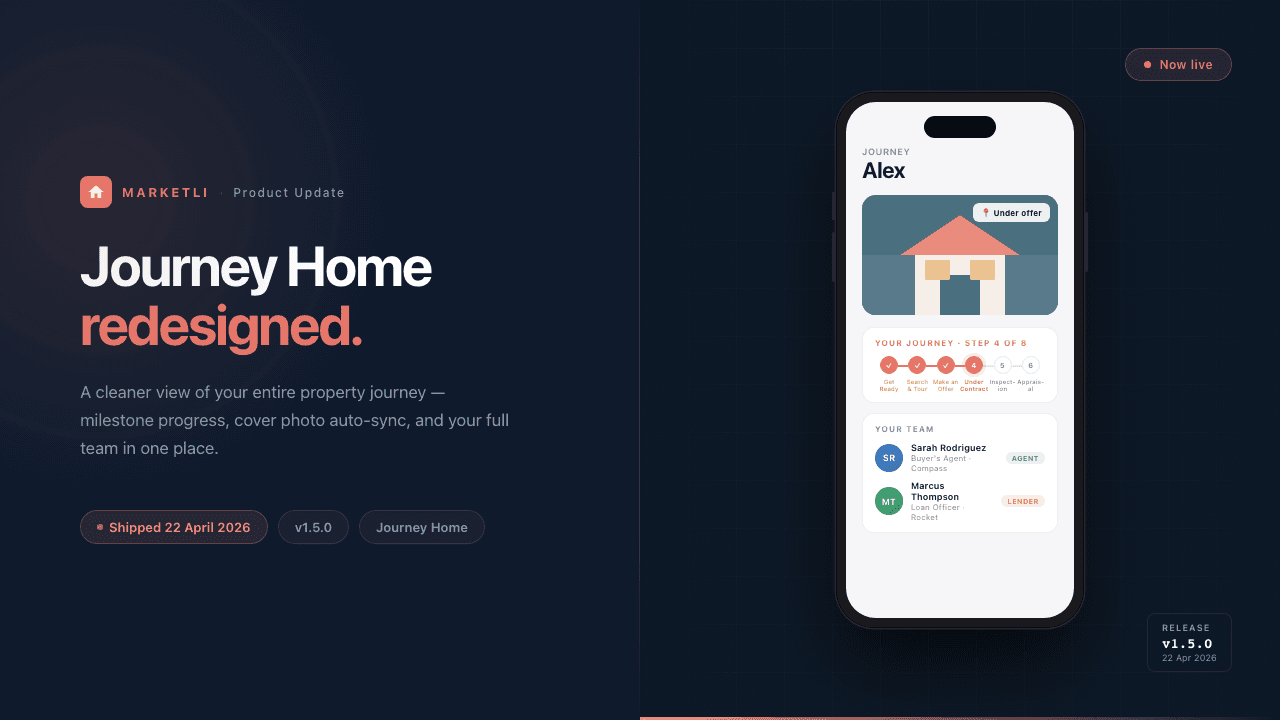
22 April 2026
v1.5.0A cleaner view of your entire property journey: full-width milestone stepper (8 steps from Get Ready to Close), cover photo that auto-updates when an offer is accepted, and your agent, lender, and team visible in a dedicated panel with in-app messaging.
f90e328
3 April 2026
A fix to our local development setup, with no effect on the app.
3 April 2026
Company enquiry emails now show the Google Play badge alongside the App Store one, matching every other Marketli email.
3 April 2026
The App Store and Google Play images display correctly again on the profile, onboarding and promo screens.
3 April 2026
A New Group Chat option at the top of the new chat list lets you name a group, pick several contacts and optionally link the group to a workspace.
1 April 2026
Security hardening improvements.
31 March 2026
Agents can opt a property in to matching across the network, off-market listings expire automatically with a re-list option, and property cards now show agent details, expiry dates and network status.
30 March 2026
A property can now be analysed into a written report drawing on comparable-sales and suburb research. Also fixed property tiles not opening the detail panel on desktop.
29 March 2026
Adding a property is now one flow however you start it, whether by address search, a listing link or the Chrome extension, and it captures land size, description and agent details.
27 March 2026
You can request a connection with another professional from their profile in a shared workspace, with notifications on both request and acceptance. Contacts also gains professional, personal and industry filters.
27 March 2026
Pasting a link into any chat now shows a preview card. Ad-hoc direct messages have been removed from workspace chats, as they were not tied to a workspace.
27 March 2026
Security hardening improvements.
27 March 2026
Security hardening improvements.
27 March 2026
A Chrome extension saves properties from Australian real estate sites straight into a workspace in one click, capturing the address, features, price, images and agent details.
25 March 2026
On desktop, drawers slide in from the right as full-height panels with a close button. On mobile they remain bottom sheets you can swipe away.
24 March 2026
Property pages now have a live discussion thread in place of the old notes field, with support for text, multiple photos and video.
23 March 2026
A suburb blog link now goes straight to that suburb's post rather than a listing page.
23 March 2026
Added suburb-specific landing pages to the Marketli blog.
102 earlier updates across 4 months